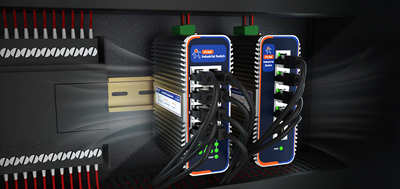
A machine delivered with a cellular router already mounted in its cabinet rarely uses that Wi-Fi radio for much at handover. It is there so commissioning engineers can connect a laptop. Eighteen months later the picture tends to change: the end customer adds an AGV at the end of the line, inspectors move to handheld terminals, or the plant IT team asks to take ownership of the SSID. At that point the real decision is not whether the integrated model was a mistake. It is which layer the next change will touch.
Two positions both hold water here. Building everything into one unit does save money — there is no second switch or small rack to buy, and across a full bill of materials the gap to a separated design is often narrower than expected. The other side has a complaint too: inside an all-in-one box the part worth upgrading falls behind while the base underneath is still perfectly adequate, so the whole unit gets replaced. From there it is a short step to arguing that the AP and antennas should have been swappable modules from the start.
Both descriptions point at the same thing:the difference between built-in Wi-Fi and a separate AP is not coverage. It is which layer gets replaced next.
The machine body stays put for a decade or so. The uplink part follows cellular generations, roughly five to eight years per step. WLAN generations and the mix of client devices move faster — something new about every three years. When the fast layer and the slow layer are soldered into the same enclosure, the slow layer gets dragged into every replacement.
Wi-Fi serves only as a local service port. A laptop or handheld terminal connects to read parameters; no more than a few devices online at once.
Every endpoint sits within range of this one unit. Published coverage figures commonly land around 200 m outdoors with clear line of sight and about 40 m indoors with obstacles, subject to on-site measurement, and a plant dense with metal calls for a further discount.
One radio set per machine, shipped in volume, with little change afterward. Here "one fewer box" is itself the return: one fewer power supply, one fewer cable run, one fewer item on the acceptance checklist.
① The coverage does not center on the cabinet. The router stays in the control cabinet while the AP belongs at the end of the line or in the next bay, with its own antenna placement and cable route.
② There is more than one AP. Once there are two or more, SSID, subnet and gateway must come from a single source, with the APs set to bridge only. Spread across several APs, a moving terminal re-requests an address as it crosses between them, and AGVs and handheld units drop off mid-move.
③ The customer's IT team owns the WLAN.SSID, encryption and roaming policy are set by them, and revised later. Keeping Wi-Fi inside the machine's own box turns every policy change into a site visit.
④ Somebody is already asking about the next WLAN generation.Questions usually arrive half a year to a year ahead of the purchase order.
Read those four alongside the cost line and the trade becomes clear: separating now costs one AP plus one cable run; staying integrated costs replacing the uplink hardware together with everything else when the next radio generation arrives.
Once the layers are split, each needs a defined scope.What stays at the routing layer:address assignment and the gateway, primary/backup switching of the uplink, VPN and the remote-management entry point, and firewall rules.What goes to the AP layer:RF, channels and antenna placement — exactly the three things most sensitive to metal structures and partitions on site.
Put simply: things that change go outside, things that stay go inside. Remote management belongs inside as well. Whether parameters can be changed remotely, whether a unit can be rebooted, whether firmware can be upgraded in batches, decides what a single site visit costs later. Whether offline status, weak signal and data-limit events raise alarms decides whether a failure gets noticed or merely waited on.
USR-G809s— Wi-Fi 6 across 2.4 GHz and 5.8 GHz, 2x2 MIMO, theoretical 2976 Mbps, capacity of 256 terminals, AP/repeater/bridge modes; 2xWAN/LAN + 6xLAN + 2xSFP (one SFP shared with a copper WAN/LAN port), gigabit auto-sensing RJ45 with 1.5 KV isolation; RS232 and RS485 terminal blocks (1200-230400 bps), DI and DO; DC 9-60 V with reverse polarity protection, aluminum enclosure rated IP40, 118.0 x 96.0 x 49.0 mm, DIN-rail or horizontal mounting, -25 to 75 °C, OLED display and button, RTC battery, built-in watchdog; dual Nano-SIM with internal eSIM, choose between 4G+WiFi 6 and 5G+WiFi 6 versions, plus GPS/BeiDou positioning. It stays in the cabinet as the aggregation point of this layer, with APs added on demand.
USR-G816— 5G SA/NSA with the Qualcomm X62 modem, dual SIM redundancy, four gigabit auto-sensing ports, Wi-Fi 5 dual-band with theoretical 1733 Mbps, RS232/RS485 terminal blocks (1200-460800 bps); DC 9-36 V with reverse polarity protection, -35 to 75 °C, IP30, 125 x 103 x 45 mm. Suited to sites where fixed broadband cannot reach or where the equipment travels; its own Wi-Fi covers the base case, and additional APs are added only where coverage falls short.
USR-G806w— Fast Ethernet ports, 2.4 GHz 802.11b/g/n at 300 Mbps, dual redundant power through the terminal block and DC jack, -20 to 70 °C, IP30, 104 x 102 x 28 mm. A reasonable single-box answer when cabinet space is tight and Wi-Fi only needs to serve local access.
Built-in or separate comes down to which layer the next change lands on. Concentrated endpoints in small numbers argue for keeping everything in one box. Coverage that has to reach outward, more than one AP, or a WLAN owned by somebody else all argue for lifting the WLAN layer out early. A cellular router earns its place by staying put, because parameters are what get compared at purchase time, while visibility from a remote desk is what matters once the machine is running.
1. Can a router with Wi-Fi work as an AP?
It can. These routers ship with AP, repeater and bridge modes. The difference is what else it handles: address assignment, the uplink path and access rules stay here, while a standalone AP covers only the radio side. Keeping SSID and subnet on the router is simpler than scattering them across several APs.
2. With standalone APs already installed, is a Wi-Fi router still needed?
The two do different work. An AP handles coverage and access; the cellular router handles addressing and the exit to the outside. Built-in Wi-Fi adds one more usable link, so wired, cellular and Wi-Fi back each other up when one of them drops.
3. What is the quickest fix when built-in coverage falls short?
Add an AP rather than replace the router. Three items need checking first: whether a cable can reach the AP's mounting position, where its power comes from, and which device issues its address. All three are cheapest to settle during wiring.
4. With more than two APs, what tends to go wrong?
Addresses start coming from more than one place. The SSID looks identical, yet a terminal landing on another AP negotiates a new address, and moving AGVs and handheld units drop briefly. Concentrating SSID, subnet and gateway at the routing layer, with APs set to bridge, removes most of it.
5. How should a machine be configured when the plant IT team manages the WLAN?
Draw the layer boundary clearly: the routing layer — uplink, addressing, rules — stays with the machine builder, the AP layer belongs to the customer's network team, and one remotely maintainable entry point ships with the machine. Changing SSID or encryption then leaves the machine's uplink untouched.
6. When the site moves to Wi-Fi 6 or a later generation, does the whole router have to go?
That depends on whether the WLAN layer stands alone. A separated design swaps only the APs. An integrated unit takes its uplink hardware with it, so any project with a clear upgrade horizon is better served by splitting that layer out from the start.
7. What can be done when cabinet space is scarce?
Let a compact router stay inside to handle the uplink and addressing, and move the AP outside. The USR-G806w measures 104 x 102 x 28 mm and mounts on a wall or DIN rail; the USR-G809s is 118.0 x 96.0 x 49.0 mm for rail or horizontal placement. APs mount on the outside of the cabinet or on the side of the machine — there is no need to force both into one enclosure.
8. How does acceptance testing confirm the layering was done right?
Two paired tests. A terminal moving between APs keeps the session alive and the address unchanged. With the AP unplugged, the machine still reaches the cloud over cellular or wired links. The first shows the WLAN layer was successfully externalised; the second shows it never became the only path.