A device with only an RS-232 port sits on the far side of a building, while a networked Windows machine on the other end needs to read it, with only a Wi-Fi link in between. This kind of requirement comes up often, and it usually gets stuck at the first step: what to call a serial port to ethernet adapter, how it connects, and which parameters to check. The name is the entry point; the wiring, the network mode, and the four serial settings are what actually decide whether the setup works, and a clear answer to those three questions keeps the project from drifting.
The device itself stays in place; only one piece of wiring is added. The field device connects to the serial port of the adapter, and the adapter connects to a Wi-Fi or wired network. The adapter wraps the RS-232/RS-485 byte stream into TCP, UDP, HTTP, or MQTT packets, and the other end of the network pulls data from the configured address and port.
Two layers need to be kept separate. The serial layer carries bytes: baud rate, data bits, parity, and stop bits. The network layer carries the connection: where the device is, who can reach it, and which protocol is in use. Most rework comes from mixing the two: a wrong serial setting means the device does not send correctly, and a wrong network mode means the software cannot find the device. The hardware side moves bytes; how a broken session appears to the application is decided by the configuration on the network side. A clear separation between the two layers keeps the troubleshooting path short, and the same adapter can serve several different host applications as long as the serial parameters are set once and left alone.
Virtual COM.When the host application only understands COM port numbers, this is the way. The adapter creates a virtual COM port on the Windows side, and the existing program runs without changes. The USR-TCP232-302 and USR-TCP232-304 both support virtual COM (USR-VCOM) and point-to-point communication; the 302 is for one RS-232 port and the 304 is for one RS-485 port, suited to single-device, single-point access. The virtual COM port appears in the device manager like any other COM port, so the host software does not need to know that the data is travelling over a network.
TCP Server.When several hosts or several remote users need to look at the same device, TCP Server mode fits better. The adapter listens on a configured port, and every connected client receives the serial data. It works well when the device is fixed, the network is stable, and the client IPs can be planned. The socket path suits applications written against sockets, and the same data can be read by more than one host at the same time.
TCP Client.When the field site is behind NAT and the destination platform is a fixed server, TCP Client is the steadier choice. The adapter initiates the connection to the server IP and port, and it reconnects automatically after a drop, without complex mapping on the network side. The reconnect logic lives on the adapter, so a short network interruption does not require any action from the host.
Most serial device servers have an Ethernet port on the unit; the Wi-Fi segment is usually handled by an on-site AP or a Wi-Fi router. Three things to check on site: signal strength, wireless bandwidth, and power supply. When the device sits inside a metal cabinet, on a roof, or high up in a workshop, the wireless loss becomes obvious, and AP placement matters more than the adapter specifications.
When Wi-Fi is not available, the adapter can be connected to the wired network, which is steadier. If the devices are spread out, the model is chosen by count: one port, the USR-TCP232-302 or 304; two ports with RS-232 and RS-485 working at the same time, the USR-TCP232-410s; many devices in a small space that must fit inside a control box, the ultra-small USR-DR132/USR-DR134 series. The form factor and mounting position are the two variables that decide whether the adapter can actually be installed in the space available, and a small form factor also leaves room for the wiring inside a tight cabinet.
Interface.RS-232 is point-to-point; RS-485 can carry multiple devices on a bus. Whether the site is one device or several buses decides the model directly.
Baud rate.The adapter must match the device. A common range goes up to 230.4 Kbps; the device manual is the reference.
Operating mode.The host application decides whether it is virtual COM, TCP Server, or TCP Client. No software change: virtual COM. Shared by several machines: TCP Server. Across NAT or to a fixed platform: TCP Client.
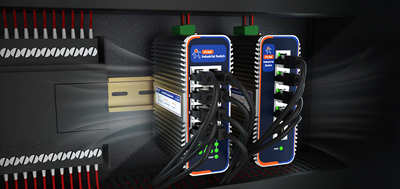
Environment and installation.Inside a cabinet, wall-mount or a small form factor; on a DIN rail, when the rail space is enough. Check the wide-voltage input and reverse-polarity protection. Wide temperature and EMC depend on the specific model page. The reverse-polarity protection on the power input is a small detail that saves a lot of trouble when the field wiring is done by hand, and a wide-voltage input covers the spread of voltages that actually show up on site.
A Wi-Fi serial device server solves “getting an older device onto the network,” not replacing the serial device itself. The selection order is direct: first the data path based on the host software, then the model based on interface and count, and finally the deployment based on the site network and mounting position. The vocabulary is only the entry point; the three checks are what keep a purchase from coming back. A serial port to ethernet adapter, in the end, is a bridge between the field and the network, and the value of the bridge shows up in the hours saved on site.
1. Old software only understands COM ports — can it be connected without changing the program?
Yes. Choose a model with virtual COM support; the virtual COM port is created on the Windows side, the existing program opens it as usual, and data comes in from the network.
2. One device, several machines need to see it — which mode?
TCP Server. The adapter listens on one port, and several clients connect at the same time, each receiving the serial data.
3. The site is behind NAT and the destination is a fixed server — how to choose?
TCP Client is steadier. The adapter initiates the connection to the server and reconnects automatically after a drop, with no port mapping needed on the network side.
4. Can RS-232 and RS-485 be cross-connected?
Not with a jumper cable. RS-232 is single-ended point-to-point, RS-485 is a differential bus that can carry multiple devices; the signal levels and wiring are different.
5. No Wi-Fi on site — does the solution still work?
Yes. Most serial device servers have an Ethernet port; the unit is connected to the wired network, and the Wi-Fi segment is handled by an on-site AP or a Wi-Fi router.
6. The device is inside a metal cabinet and the wireless signal is weak — what to do?
Move the AP or switch to wired. Wireless loss is heavily affected by metal shielding; AP coverage matters more than the adapter specifications.
7. What happens if the baud rate is set wrong?
The bytes from the device cannot be parsed correctly; the result is garbled data or no data. The baud rate, data bits, parity, and stop bits must be aligned item by item with the device manual.
8. How to tell single-port and dual-port models apart?
Single-port models a