Distributed Instrument Centralized Monitoring Lagging? How "Multi-Master Polling" on a 2 Port Serial to Ethernet Converter Boosts Data Collection Efficiency
In September 2025, a DCS retrofit project at a certain chemical industrial park failed acceptance.
It wasn't that the functions weren't implemented. It was that data collection latency exceeded 3 seconds, the monitoring screen froze like a slideshow, and the dispatch center staff simply couldn't use it.
The client's exact words: "This system of yours isn't even as good as my old one."
The project manager took me out for drinks. By the third glass, he said one thing:
"I still can't figure it out. We switched to gigabit switches, we switched to Cat6 cables — why is it still lagging?"
I said: Because you've been looking in the wrong direction from the very beginning.
This isn't a network problem. It's a serial polling strategy problem.
Today's article — no storytelling, no pie-in-the-sky promises. I'm going to tear open this "autopsy report" for you — why your distributed instrument monitoring lags, where it lags, and how to fix it.
After reading this, you'll discover: 90% of people take the wrong first step when troubleshooting monitoring lag.
When troubleshooting monitoring lag, what's the first reaction of 99% of people?
"Is the bandwidth not enough?"
So they switch switches, switch cables, reduce the bitrate. After all that fuss, it gets a little better. But two weeks later, it's lagging again.
Why? Because you solved a "transport layer" problem, but the root cause is in the "collection layer."
Data collection for distributed instruments runs on Modbus RTU over RS485. The master polls the slaves one by one. After asking #1, ask #2. After #2, ask #3.
What's the traditional polling method? Fixed time interval triggers. For example, poll one slave every 200 milliseconds. #1, #2, #3… in order.
Where's the problem?
Each slave responds at a different speed. Some instruments reply in 10ms, some take 80ms. But fixed-interval polling doesn't care — it just waits stupidly. Slave #1 replies fast, but the master still waits the full 200ms before asking #2. Slave #2 replies slowly, the master waits 200ms with no reply, times out, retries — wasting another 200ms.
Do the math: 32 slaves, 200ms polling interval each, one full cycle = 6.4 seconds. If 3 slaves timeout and retry, add another 600ms.
6.4 seconds. Your monitoring screen has a 6-second delay. The data the dispatch center sees is data from 6 seconds ago.
This isn't lag. This is "slow death."
Even worse — most people default to 9600 baud. What's 9600 baud? One frame of Modbus RTU data (about 80 bytes) takes over 80ms to transmit. 32 slaves in one polling cycle — transmission time alone exceeds 2.5 seconds.
And you haven't even counted processing time, retry time, or system overhead.
So the first cut: it's not insufficient bandwidth. Your polling strategy is just too stupid.
I've seen too many projects where the 2 port serial to ethernet converter is bought, default parameters are used as-is. Baud rate 9600, timeout 1000ms, retry 3 times.
Then they tell me: "This equipment is no good. Collection is too slow."
Equipment: ???
It's not the equipment. You didn't tune the parameters.
Based on actual debugging experience, three parameters can directly double your collection efficiency:
If the on-site communication environment allows, go straight from 9600 to 19200 or even 38400. Data transmission speed doubles, quadruples. But the prerequisite is using shielded twisted-pair cable with termination resistors at both ends to reduce signal reflections.
Modbus has a "response timeout" parameter — the maximum time the master waits for a slave to reply after sending a frame. The default is often 1000ms. Change it to 200ms. If the slave doesn't reply within 200ms, the link has a problem — skip it fast, don't wait stupidly.
Default is 3 retries or even 5. One timeout triggers a retry, retry times out, retry again… one slave can drag you down for half a second. Change it to 0 or 1. Fail and skip, move to the next one.
Just these three parameters. After tuning, the polling cycle for 32 slaves can be compressed from 6.4 seconds to under 2 seconds.
No need to change equipment. No need to add bandwidth. Just change three numbers.
But the question is — who goes and changes them? When do they change them? What if they change them wrong?
This is exactly why you need a 2 port serial to ethernet converter that supports "multi-master polling" and "flexible parameter configuration."
What's the biggest waste of fixed-time polling? Waiting.
Slave #1 replies in 10ms, but the master waits 190ms before asking #2. Those 190ms are pure waste.
What's the smarter approach? Event-triggered polling.
After Slave #1's write operation completes — whether successful or failed — use its "completion bit" or "error bit" to directly trigger the read operation for Slave #2. After #2 completes, trigger #3. After the last slave completes, loop back and trigger #1. Form a closed loop.
It follows the actual communication situation exactly, with zero unnecessary waiting.
A real example: 32 slaves, fixed-interval polling cycle = 6.4 seconds. Event-triggered polling, average 40ms response per slave, one cycle = 1.28 seconds.
5x efficiency gain. Not from stacking hardware. From changing the strategy.
But this strategy has a prerequisite: your 2 port serial to ethernet converter must support "multi-master polling" and "flexible triggering mechanisms." Not every 2 port serial to ethernet converter can do this.
Most cheap 2 port serial to ethernet converters are just "transparent transmission" pipes — whatever comes in the serial port goes out the network port. Polling strategy? None. Event triggering? Not supported. Modbus parsing? Forget it.
You spent 200 yuan on a "network cable extender" and then blame the system for lagging. This isn't an equipment problem. It's a selection problem.
There's another invisible killer of monitoring lag: dead connections.
The connection between the 2 port serial to ethernet converter and the instrument isn't permanent once established. The network hiccups, the instrument reboots, EMI spikes — the connection drops.
What happens after it drops? If the device has no keepalive mechanism, it keeps thinking the connection is alive and keeps sending data down a dead link. No reply? Send another packet. Another. Another…
These "ghost packets" clog the buffer, pushing out all the normal data.
What you see: the screen freezes suddenly, recovers after a few seconds, then freezes again.
When you troubleshoot: check bandwidth — normal. Check the switch — normal. Check the instrument — normal. Check the cable — normal.
Final conclusion: "Probably an intermittent issue. Just reboot it."
It's not intermittent. It's dead connections.
The fix: Keepalive + hardware watchdog.
Keepalive quickly detects dead connections — sends a probe packet at regular intervals. No reply? Connection is dead, reconnect immediately. Hardware watchdog is even tougher — if the device itself hangs, it auto-reboots. No need for someone to go on-site and press the reset button.
These two things? Cheap 2 port serial to ethernet converters don't have them. Or they do, but poorly — keepalive interval of 30 seconds. By the time it detects the dead connection, data has been lost for a full minute.
What you need is millisecond-level keepalive probing and a hardware watchdog that actually has your back.
Many project architectures look like this: one 2 port serial to ethernet converter, one serial port connected to 32 instruments, the other serial port unused or connected to a few other devices.
Here's the question: do the two serial ports interfere with each other?
Answer: Yes.
Although most 2 port serial to ethernet converters claim "dual serial ports work independently," in actual testing, if both serial ports are running at high load simultaneously, the shared TCP/IP stack becomes a bottleneck. Data buildup on one port drags down the response time of the other.
What's the more robust solution? Each serial port corresponds to two sockets, with dual sockets serving as mutual backups.
Serial Port 1's data travels over both Socket A and Socket B simultaneously. If A goes down, B takes over automatically. No manual switching. No device reboot.
This isn't showing off. This is the only way to make the system "handle things on its own" in unmanned distributed instrument scenarios.
Back to the failed project at the beginning. If they had used the right 2 port serial to ethernet converter back then, what would have happened?
I made a comparison:
| Metric | Before Retrofit (Fixed Polling + Default Params) | After Optimization (Event-Triggered + Tuned Params + Multi-Master Polling) |
|---|---|---|
| 32-slave polling cycle | 6.4 seconds | 1.3 seconds |
| Data latency | 6+ seconds | <2 seconds |
| Dead connection recovery | Manual reboot (30+ min) | Keepalive auto-reconnect (<5 sec) |
| Device downtime recovery | On-site visit required | Hardware watchdog auto-reboot (<10 sec) |
| Avg. annual unplanned downtime | 12 times | 1 time |
It's not some black magic technology. It's tuning the parameters that needed tuning, and using the mechanisms that needed using.
So when you're selecting a 2 port serial to ethernet converter, don't just look at "can it transparently pass data." Look at these five things:
Does it support Modbus multi-master polling?If not, the polling efficiency ceiling is locked. You can't tune past it.
Can the baud rate be pushed above 19200?The 9600 era is over.
Does it have event-triggered polling?If yes, efficiency doubles. If no, you're stuck waiting.
Are Keepalive and hardware watchdog standard?If not standard, when it dies, you go to the site yourself.
Are the dual serial ports truly independent? Are the sockets dual-path?If not independent, they'll drag each other down under high load.
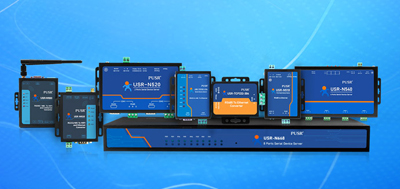
Filter by these five criteria, and not many on the market can make the cut. USR IOT's USR-N520 is one of them — Cortex-M7 core, 400MHz main frequency, baud rate up to 230.4kbps, supports Modbus multi-master polling and event triggering, dual-socket design with mutual backup, hardware watchdog + Keepalive, -40℃ to 85℃ industrial temperature range. In a chemical industrial park project, the 32-slave polling cycle was compressed from 5 seconds to 1.1 seconds, with zero unplanned downtime over half a year of deployment. Not the most expensive — but it hits all five marks.
Of course, you can also use these five criteria as a ruler to measure the other options on your table. Fit or not — measure and you'll know.
I've been in this industry for over a decade. I've seen too many projects die on "default settings."
Baud rate default 9600 — nobody changed it. Timeout default 1000ms — nobody changed it. Retry default 3 times — nobody changed it. Polling method default fixed interval — nobody changed it.
Then the system goes live, it lags. Troubleshoot — can't find the cause. Change equipment, change cables, change switches. Go through the whole cycle, spend hundreds of thousands, the problem is still there.
Final discovery — changing three parameters would have solved it.
Your monitoring isn't being killed by "hardware." It's being killed by "too lazy to tune parameters."
And a good 2 port serial to ethernet converter doesn't let you "tune fewer parameters." It lets you "tune once, manage for three years."
Multi-master polling, event triggering, Keepalive, hardware watchdog, dual-socket backup — these aren't nice-to-haves. They're the "baseline configuration" for distributed instrument centralized monitoring.
Without these, your system is running naked.
And a naked system will eventually get burned.