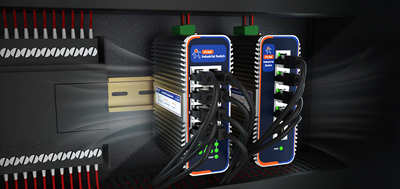
Customer site: No broadband connection, no cabling, yet a stack of devices, cameras, sensors, control terminals, need to be connected and send their data upstream. This need shows up not only at construction sites but also in new factory zones, temporary workstations, and remote substations.
The practical move is to use a cellular gateway, often called an industrial cellular router, to bridge the site onto the network. Equipment gets online through mobile data alone.
The deciding factor is simple: does the site have an Ethernet drop or fiber to plug into. When a wired link exists, the WAN port carries primary traffic and the cellular link serves as backup. When no wire reaches the building, cellular is the primary path, not a fallback.
One recurring misstep: the carrier APN was never entered on the device, so the cellular module never registers. Field staff then assume the site has no signal. Confirm the APN type at provisioning and enter it into the router.
Recovery time after a link switch matters more than raw throughput. For unattended sites, clarify whether data buffers locally or the platform retrives it later. Pull the Ethernet cable, time the failover, and confirm the cellular link comes back online without operator intervention. Some models support automatic Ethernet-cellular failover, keeping the link alive with no manual action.
Count by interface type rather than by device name. Serial devices most often use RS485 Modbus RTU. The four serial parameters, baud rate, data bits, parity, and stop bits, plus the Modbus station address are the usual source of rework. Network devices should be tallied by speed and port count. Power draw depends on the cabinet voltage: both 24 V and 48 V are common, and the wide-voltage range must cover the actual value.
When site equipment multiplies, port count is frequently underestimated. Three devices plus one uplink require four ports; some compact units offer only two LAN ports, forcing a downstream switch when the fifth device arrives. A low-cost install suddenly costs the price of two units. When ports are short, when PoE is needed for nearby power, or when VLAN segmentation is required, buying a separate switch is the sensible choice. For distances exceeding one hundred meters, the SFP optical port connects directly to a fiber transceiver without copper cabling.
With cellular as the primary path, failover time becomes critical. Automatic failover between Ethernet and cellular avoids operator intervention. Dual-SIM backup across different carriers avoids coverage gaps.
Traffic management needs advance planning. Estimate monthly consumption by reporting interval and set threshold alarms. Traffic overrun notifications are available through email and SMS with repeat delivery, preventing mid-month data exhaustion. When wired broadband is available, assign it as the primary path and cellular as backup, reconcile the data plan monthly against the usage curve and alarm log.
With more sites, on-site parameter changes, device reboots, and bulk firmware upgrades become expensive. A remote management platform offers online status monitoring, signal quality display, and three alarm categories (device offline, weak signal, traffic overrun, with email and SMS repeat push), reducing on-site visits to part replacement, cabling, and dust removal. Some platforms also support VPN tunneling, enabling cross-office intranet penetration without a public IP address, further lowering the setup barrier.
During bulk deployment, exporting configurations into templates proves more reliable than configuring devices one by one. The same template goes to every site; changing the customer requires only a target address and port update. When upgrading firmware, keep the retain-configuration option checked to avoid wiping rules along with the new image. Template-based deployment reduces the time spent re-entering firewall rules, VPN parameters, and alarm thresholds across dozens of locations.
The USR-G816 fits remote sites without any wired infrastructure: 5G SA/NSA with X62 modem, dual SIM with optional eSIM on SIM2, gigabit WAN configurable as LAN plus 3 x gigabit LAN ports, RS232/RS485 for legacy equipment, automatic Ethernet-cellular failover, DC 9-36 V reverse-polarity protection, wide temperature -35 to 75 degrees Celsius, five VPN protocols, remote management platform and three alarm categories.
The USR-G809s suits sites with many devices needing optical connections or local maintenance terminals: 2 x WAN/LAN plus 6 x LAN plus 2 x SFP (one SFP mutually exclusive with the electrical WAN/LAN), gigabit electrical ports and gigabit SFP optical ports, Wi-Fi6 supporting 256 connected devices, dual Nano-SIM with built-in eSIM, wide-voltage DC 9-60 V reverse-polarity protection, DIN rail mounting, operating temperature from -25 to 75 degrees Celsius.
The USR-G806w serves compact cabinets requiring basic connectivity: 10/100 Mbps Ethernet port with WAN configurable as LAN, Wi-Fi 802.11b/g/n dual antennas at 300 Mbps, cellular/wired/Wi-Fi three-mode switching, 104 x 102 x 28 mm compact chassis, DIN rail or wall mount, operating temperature from -20 to 70 degrees Celsius, remote management platform with alarms.
Inventory device protocols, create a rule template and change only the target address and port per site, practice primary-backup link switching, lock down remote access permissions. During acceptance, allow-listed devices can connect, devices outside the list cannot, and the results form the acceptance record. Before each site goes live, test with a laptop on cellular mode and verify the failover log records the correct transition path. Check the signal strength indicator on the management web interface and note the carrier name, since some carriers use the same SIM profile but different roaming partners in remote areas.
Before acceptance, export configurations with filenames carrying site ID and date. Import the same template across a batch of sites, changing customer data only. Record serial numbers and factory firmware versions during bulk delivery for future traceability. Tag each device physically with a QR code linking to its configuration template, so field staff can pull the right settings from any smartphone.
Cellular routers solve the problem of sites without wired lines and harsh environments, while remote management prevents the headache of scaling operations across numerous locations. For any industrial cellular router deployed in these conditions, the same principles apply: verify interfaces, confirm uplink redundancy, and enable remote monitoring before leaving the site.