Field inspections, equipment commissioning, short-term monitoring — these scenarios share one thing in common: the network cannot go down.
You cannot pull fiber to a construction site. There is no stable power outlet. A consumer-grade router will not survive a full workday in harsh conditions. An industrial cellular wifi router exists to solve this exact problem — building a reliable, secure temporary network where infrastructure is missing.
Here is how.
Temporary sites do not have fiber optic cables or Ethernet jacks. 5G or 4G LTE cellular connectivity is the most direct alternative.
When selecting a router, check three things:
Temporary sites rarely have stable power. Diesel generators need regular refueling. Grid connections require permits and queue times. If a router depends on uninterrupted power, the entire network becomes a logistics burden.
Here is what actually works:
Cellular networks are public infrastructure. Base station signals can be intercepted. SIM data may be vulnerable to man-in-the-middle attacks during transmission. Temporary sites typically have no dedicated network administrator, making security risks significantly higher than in a controlled server room.
Protection methods:
Once on location, complete three tasks:
Industrial router installation is more involved than a home router, but the steps are straightforward:
After installation is complete, configure remote management:
Once configured, all subsequent parameter adjustments, firmware upgrades, and device reboots can be handled remotely.
A wind farm commissioned new turbines with a two-week debugging period. No broadband was available on-site, and the diesel generator's output voltage fluctuated significantly.
A temporary network was built using USR-G816:
Zero network interruptions across the two-week commissioning period.
A highway expansion project deployed temporary surveillance cameras along a 20-kilometer roadbed. Each camera point needed independent connectivity.
USR-G806w was selected:
A manufacturing company attended an outdoor exhibition and needed to build a temporary office network within three days, supporting approximately 50 simultaneous device connections.
USR-G809s was deployed:
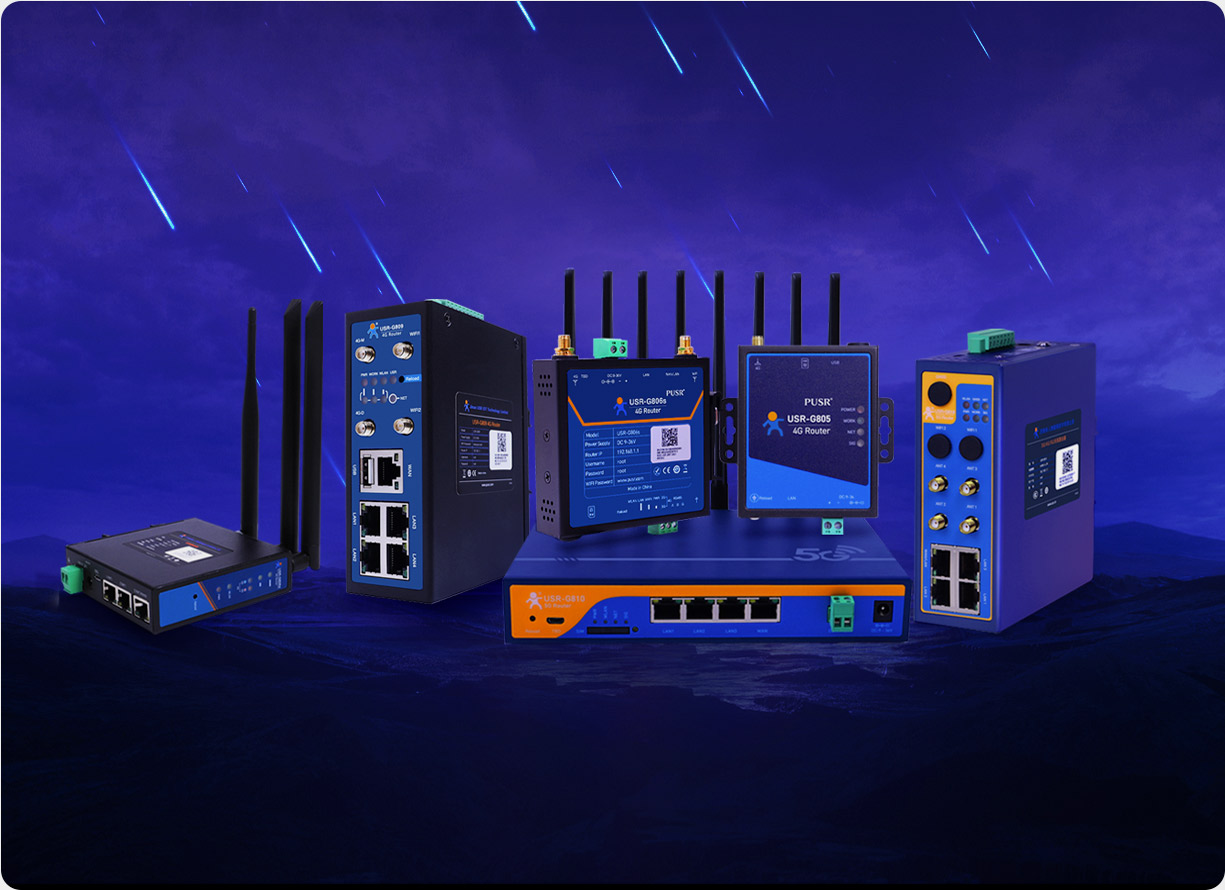
Equipment selection for a temporary off-grid network does not require the most expensive option — the right fit for the scenario matters most:
|
Scenario |
Recommended Model |
Rationale |
|
High-speed data transmission, video surveillance |
USR-G816 |
5G Snapdragon quad-core processor with X62 modem, clear bandwidth and latency advantages |
|
Routine monitoring and remote data collection where 4G coverage is adequate |
USR-G806w |
Qualcomm chipset, industrial-grade wide temperature (-35~75°C), strong cost-to-performance ratio |
|
Temporary offices, exhibitions, short-term deployments |
USR-G809s |
Gigabit Ethernet ports, metal enclosure, easy to dismantle and relocate |
Industrial routers are purpose-built for field conditions, with an operating temperature range typically from -35°C to 75°C, compared to 0°C to 60°C for consumer routers. The metal enclosure provides EMC protection, surge protection, and ESD protection — industrial-grade features that consumer routers lack. Placing a consumer router outdoors or in a harsh environment can result in failure within days due to temperature fluctuations or power interference.
Yes. 5G cellular networks offer download speeds reaching hundreds of megabits per second. 4G LTE provides stable bandwidth in the tens of Mbps range, sufficient for remote monitoring, data acquisition, and video conferencing. The key is confirming local signal coverage and frequency band compatibility before deployment.
Industrial routers support wide-voltage DC input (9–36V) and can connect directly to batteries, solar charge controllers, or vehicle power systems. Combined with low-power standby modes, a 12V 20Ah battery typically sustains operation for an entire day. After a power outage, the hardware watchdog automatically restarts the device when power is restored, requiring no manual intervention.
Cellular networks are public infrastructure, so an enterprise-grade VPN (IPsec, OpenVPN, etc.) is recommended to encrypt the transmission channel. A private carrier APN creates an additional dedicated channel, preventing devices on the public internet from directly accessing the internal network. This layered approach covers most security risks.
Centralized management through a remote platform such as PUSR Remote Management allows remote parameter configuration, firmware upgrades, and device reboots. Alert rules for offline events, low signal, and data cap overrun can be configured. Email and SMS dual-channel push notifications help prevent missed alerts.
Many industrial router models meet industrial protection standards and operate in temperatures ranging from -35°C to 75°C. The metal enclosure combined with efficient passive heat dissipation design handles temporary outdoor deployment without issues. For long-term outdoor installations, models with higher ingress protection ratings (IP67 or above) are recommended.
The number depends on the model and on-site network conditions. Industrial routers typically support dozens to hundreds of simultaneous device connections via Wi-Fi or Ethernet. If the site requires more than 100 connected devices, consider connecting an enterprise-grade AP downstream from the router for traffic distribution.
4G is suitable for routine telemetry, data collection, and basic remote monitoring — offering a better cost-to-performance ratio where 4G coverage is mature. 5G is the right choice when the application requires higher bandwidth (video transmission), lower latency, or mobile asset tracking.