A Siemens S7-200 PLC that has been in service for ten years has only an RS232 interface. An engineer needs to connect a laptop from the control room for remote programming, but the laptop no longer has a serial port. A USB-to-serial cable solves the problem temporarily — switching to another laptop may require reinstalling drivers, and cables over 15 meters need to be replaced. Connecting serial devices to Ethernet is a retrofit many factories are undertaking, and the core device for this is the serial-to-Ethernet converter.
Products on the market range from a few dozen yuan to over a thousand. Parameters look similar, but stability varies significantly. This article presents three practical dimensions for evaluating options in the PLC communication scenario.
Different PLCs and sensors use different physical interfaces. The first step in selection is to confirm what interface the field devices use, rather than looking at price first.
Selection method: List all devices that need network access, grouped by interface type. For more than 4 RS485 devices, consider multi-port products like the USR-N540 (4-port RS485), where each port can be configured with an independent baud rate.
This is the most common pitfall in selection. Serial-to-Ethernet converters have two primary operating modes with entirely different use cases.
Transparent transmission mode: Raw serial bytes are encapsulated directly into TCP packets for forwarding, without protocol parsing. This is equivalent to replacing a long serial cable with an Ethernet cable. The benefit is no software changes required. The drawback is that Ethernet jitter may break the 3.5-character silent interval that Modbus RTU relies on, causing CRC errors and timeouts.
Modbus gateway mode: The converter actively parses Modbus RTU frames, strips the CRC, adds the MBAP header, and converts to standard Modbus TCP format. The SCADA side sees standard Modbus TCP (port 502) without needing a virtual COM port driver. PUSR's USR-TCP232-410s and USR-N540 both support multi-host polling, allowing multiple SCADA systems to read the same RS485 device simultaneously without bus contention.
Selection method: If the host software only supports Modbus TCP (most modern SCADA systems), choose a product with Modbus gateway functionality. Older software (such as early WinCC or Wonderware versions) only recognizes COM ports, where transparent transmission with a virtual COM port driver is more suitable.
The "operating temperature" specification on a datasheet is often the key determinant of long-term stability.
A commercial converter may perform well in a lab. But factory power cabinets exceed 55°C in summer, and unheated workshops in northern regions drop to -10°C in winter. Commercial units typically operate at 060°C, while industrial-grade units support -4085°C — a significant difference.
Other factors to consider:
Ask suppliers for operating temperature range and EMC ratings — specific, verifiable parameters indicate industrial-grade design.
After selection, a few field deployment details affect success rate.
IP address planning: Assign static IPs. Do not rely on DHCP. Record the IP-to-device-location mapping.
Serial parameter consistency: Baud rate, data bits, parity, and stop bits must match the PLC side exactly.
Step-by-step testing: After power-on, ping to confirm IP reachability, then use serial debugging software to send a Modbus request and verify the serial side, followed by an end-to-end test. Before batch deployment, run a 72-hour ping stability test. PUSR offers sample testing services.
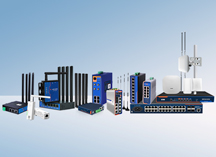
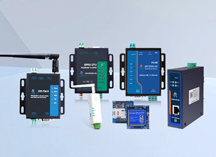
Selecting a serial-to-Ethernet converter does not require a complex methodology. Narrow the field by interface type, determine whether Modbus gateway functionality is needed based on protocol requirements, and filter out commercial-grade products using industrial specifications. PUSR's product line covers single-port RS232 (USR-TCP232-302), dual-port RS232+RS485 (USR-TCP232-410s), multi-port RS485 (USR-N540), and Edge IoT gateways (USR-N720). All products are CE, FCC, and RoHS certified with -40~85°C industrial-grade design.
A serial-to-Ethernet converter performs transparent transmission — it encapsulates raw serial bytes into TCP packets and forwards them without protocol parsing. It acts like a "virtual Ethernet cable," allowing remote devices to see the same serial data they would over a physical cable.
A Modbus gateway adds protocol translation: it actively parses Modbus RTU frames, strips the CRC checksum, adds the TCP/IP MBAP header, and converts data to standard Modbus TCP format. The SCADA or PLC side communicates via standard Modbus TCP (port 502) without installing a virtual COM port driver.
In short: transparent transmission suits scenarios where existing serial-based software is retained; Modbus gateway suits modern systems where the host only recognizes Modbus TCP. PUSR's USR-TCP232-410s and USR-N540 support both modes and can be switched via the web configuration interface.
Yes. In this case, use the Virtual COM Port (VCOM) feature. The converter works with a VCOM driver installed on the host PC to map the remote serial port over the network to a local COM port (e.g., COM5). When an older SCADA software opens "COM5," data actually travels over Ethernet to the converter, then to the serial device.
Pay attention to driver compatibility when selecting a product. PUSR converters ship with the VirCom virtual serial driver, which supports Windows 10/11 and includes a bulk configuration tool — all 20+ units can have their IP parameters set from a single PC without on-site individual configuration.
Modules at that price point are generally suitable for labs or temporary debugging, not for long-term factory operation. Key differences:
For projects requiring 7x24 hour operation, industrial-grade products are recommended.
Serial parameter mismatch is the most common cause of communication failure. The converter's baud rate, data bits, parity, and stop bits must match the PLC or sensor side exactly. For example, if the PLC is set to 9600-8-N-1 (9600 baud, 8 data bits, no parity, 1 stop bit), the converter must use the same settings.
Troubleshooting steps:
This depends on the converter's operating mode:
For more than 30 RS485 devices on-site, multi-port products like the USR-N540 (4 RS485 ports) are recommended, with each port polling independently without interference.
PUSR converters are protocol-agnostic and do not distinguish PLC brands. Any device using RS232 or RS485 interfaces with Modbus RTU protocol — whether Siemens, Allen-Bradley, Mitsubishi, Omron, or others — can be connected to Ethernet through the converter.
The key question is not which brand the converter "supports," but confirming the following:
PUSR converters are widely deployed in retrofit projects involving Siemens S7 series, Allen-Bradley CompactLogix, Mitsubishi FX/Q series, and other common PLCs.
A static IP address is recommended. Reasons:
PUSR converters support web configuration and bulk configuration tools, which can modify IP addresses, subnet masks, and gateway settings for multiple units from one PC — suitable for deployments of 20+ units.
Industrial-grade converters have a design life of 10+ years and require almost no maintenance under normal operation. Three recommendations for periodic checks: