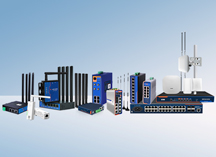
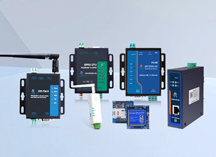
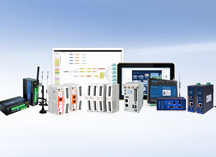
At the far end of the workshop, a piece of equipment has only one RS-232 port, yet data needs to be read from a remote office through a COM port. Manufacturers facing this need encounter a market where mainstream serial server products typically offer 8 to 16 RS-485 ports, with unit prices ranging from hundreds to thousands of dollars. For scenarios requiring only 1 to 2 RS-232 ports, purchasing a multi-port device means paying for ports that will not be used.
The core function of an RS232 to Ethernet converter is to bridge serial bytes across an Ethernet network. It does not parse content and does not replace host software. Selecting a low-port-count, industrial-grade converter comes down to three things: serial type, power supply method, and operating environment.
RS-232 is a point-to-point communication protocol with a DB9 connector and a typical transmission distance of less than 20 meters. When a device has only one RS-232 port, the USR-TCP232-302 is the most straightforward choice.
This 1-Port RS232 converter features an ARM Cortex-M0 processor running at 48 MHz, with power consumption as low as 150 mA at 5V. Operating voltage ranges from DC 4.75 to 7V, supplied through a standard 5.5×2.1mm DC jack. Measuring 71×60×25mm, it supports wall-mount installation and operates between -25℃ and 75℃.
On the software side, it supports TCP Server/Client, UDP, and HTTPD Client modes. The TCP Server mode accepts up to 16 simultaneous client connections (4 by default), allowing multiple PCs to read data from a single serial device at once. The bundled USR-VCOM virtual serial port software supports Windows 2000 and later (32/64-bit), enabling legacy host software that relies exclusively on COM port names to function without modification.
Additional practical features include heartbeat packet detection—the server can detect abnormally disconnected clients and auto-reconnect in TCP Client mode, a registration packet function for identifying different client identities, and an RFC2217-like protocol that allows serial parameters such as baud rate, data bits, parity, and stop bits to be modified dynamically from the network side.
These capabilities suit scenarios where multiple PCs share a single serial device, where serial parameters need to be adjusted on the fly, or where legacy software requires a local COM port to operate.
When equipment requires both RS-232 and RS-485 ports simultaneously, the USR-TCP232-410s provides dual serial ports working at the same time.
Hardware specifications include 1×RS232 (DB9 male) plus 1×RS485 terminal, a 10/100Mbps Ethernet port with 1.5KV electromagnetic isolation, and serial baud rates from 600bps to 230.4Kbps. Both hardware CTS/RTS and software XON/XOFF flow control are supported.
Software functionality covers TCP Server/Client, UDP, HTTPD Client, and MQTT modes, with SSL/TLS bidirectional certificate encryption and Modbus RTU to Modbus TCP gateway conversion. The processor is a Cortex-M7 running at 400 MHz, with wide-voltage power input featuring reverse-polarity protection, an operating temperature of -40℃ to 85℃, a metal enclosure, and dual hardware/software watchdogs.
Having both serial ports in a single device eliminates the need for an additional converter inside the cabinet, removing one device, one power line, one acceptance test, and one potential failure point.
If the field supply is not a stable 5V but rather DC 24V or a wider range, the USR-N510 offers a wide-voltage 1-Port solution.
The N510 supports DC 5 to 36V wide-input with reverse-polarity protection and operates between -40℃ and 85℃. Two versions are available: an RS232/RS485/RS422 tri-compatible model (H7) and a pure RS485 model (H7-4).
Like the 302, the N510 supports Modbus gateway, virtual serial port, SSL/TLS encryption, and MQTT 3.1 and 3.1.1 protocols, with up to 16 publish topics and 16 subscribe topics. The processor is a ST Cortex-M7 at 400 MHz, with edge computing capability supporting up to 300 data points for collection and reporting.
Wide-voltage input makes the N510 suitable for industrial environments with DC 24V cabinet power supplies, as well as outdoor scenarios with unstable power sources such as solar installations.
After selecting the right converter, configuration order matters. The correct deployment sequence is: first confirm the four serial parameters (baud rate, data bits, parity, stop bits), then set the IP address and port number, next configure the operating mode (TCP Server or TCP Client), and finally verify that the virtual serial port driver is installed.
Acceptance testing includes three steps: read data through a direct USB-to-serial connection first, switch to network communication once parameters are confirmed correct, then run continuous data to observe reconnection time and byte ordering. When exporting configurations, include the site identifier and date in the filename for quick reference during future device replacements.
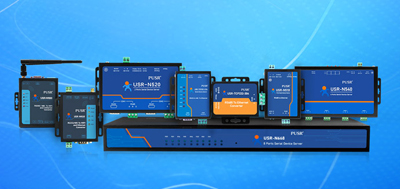
Choosing an RS232 to Ethernet converter is straightforward: confirm the serial type, confirm the power supply method, and confirm the operating environment. Use the USR-TCP232-302 for RS-232 point-to-point scenarios, the USR-TCP232-410s when both RS-232 and RS-485 are needed simultaneously, and the USR-N510 for wide-voltage applications.
All three models support Modbus gateway, virtual serial port, and SSL/TLS encryption, and each has passed rigorous industrial-grade EMC testing with proven deployments in banks, highways, large corporate networks, and complex network environments. Manufacturers needing only 1 to 2 ports do not need to pay for multi-port devices—industrial quality and reasonable pricing can coexist.
No. A serial device server performs bidirectional transparent transmission: bytes received on the serial side are forwarded exactly as received to the network side, and this applies equally to Modbus and custom ASCII protocols. Only when Modbus gateway mode is enabled are RTU frames converted into TCP packets.
No. RS-232 uses a single-ended signal referenced to ground, while RS-485 uses differential signaling. A passive adapter cable does not perform level or topology conversion. Verify the actual electrical standard of the device panel port before purchasing.
Yes. After installing virtual serial port software, Windows maps the network connection to a local COM port, allowing legacy software to operate without code changes.
No. Most serial device servers come with a wired Ethernet port. Connecting one to a nearby router or wireless bridge handles the Wi-Fi portion through peripheral equipment. If purchasing a model with built-in wireless, first confirm that it can join the target network as a client.
The maximum number depends on how many clients the TCP Server mode supports—all three models here support up to 16. Note that serial ports are inherently point-to-point, so typically only one host sends data while the rest only read, to avoid multiple devices writing to the same port simultaneously.
No. Baud rate, data bits, parity, and stop bits should match the converter to the original device settings; the network side only transports data. Converter settings need modification only when dynamic serial parameter adjustment from the network side is required.
Transparent transmission itself does not drop bytes. Data loss risk comes from link interruptions and reconnection events. Long-connection stability depends on the host software's auto-reconnect behavior and whether intermediate switches or wireless links disconnect idle connections. Running continuous data during acceptance reveals this.
Power supply methods vary by model: the USR-DR132 accepts DC 5 to 24V wide input, allowing direct connection to any DC power source inside the equipment; the USR-TCP232-410s uses wide-voltage terminal input with reverse-polarity protection; the USR-TCP232-302 uses a DC 5V jack. Confirm that the field power supply matches the selected model's requirements.