In home energy management systems, uploading real-time power generation data from solar inverters to Home Assistant is the foundation for monitoring efficiency and optimizing energy usage strategies. The common approach reads Modbus data through the RS485 interface, but in practice, directly using vendor-provided Wi-Fi sticks or USB data loggers often leads to data loss and unstable connections. A more reliable solution leverages an RS485 to Ethernet serial server to connect the inverter to the local network, then continuously pull real-time data via Home Assistant's Modbus integration.
Solar system users have shared similar experiences: the Wi-Fi monitoring dongle that comes free with the inverter frequently disconnects after a few months of operation, or the power generation data on the Home Assistant dashboard suddenly drops to zero with device status remaining stale for extended periods. In community discussions, one user described exactly this situation—using a Solar Planet inverter with the official Wi-Fi stick, data kept resetting or disappearing, and the system stability improved significantly after switching to an RS485 to Ethernet converter.
The root cause lies in signal interference and spectrum competition in Wi-Fi environments. Home routers typically serve smartphones, laptops, smart home devices, and more simultaneously; when wireless channels become congested, packet loss rates rise noticeably. An RS485 to Ethernet converter connects via wired Ethernet, offering stable signals, longer transmission distances (standard RS485 bus supports up to 1,200 meters), and the ability to daisy-chain multiple devices on the same bus.
When connecting an inverter to Home Assistant, a key detail is often overlooked: inverters typically use the Modbus RTU protocol (operating over the RS485 serial bus), while Home Assistant's Modbus integration communicates by default over Ethernet (Modbus TCP). The RS485 to Ethernet converter serves as the protocol bridge between the two.
The following configuration points deserve attention:
Protocol mode.A standard transparent transmission mode simply encapsulates serial data and forwards it to the network as-is, unable to handle Modbus RTU-specific CRC checksums and inter-frame silence intervals (3.5 character times). Converters supporting Modbus gateway mode are recommended, as they automatically handle RTU-to-TCP protocol translation.
Serial parameters.The serial parameters on the converter side must match the inverter's specifications exactly. For a Solar Planet inverter, the RS485 communication runs at 9600bps, 8 data bits, 1 stop bit, no parity, with device address defaulting to 1. Mismatched parameters prevent the converter from correctly parsing data frames sent by the inverter.
Wiring method.The RS485 bus uses two signal lines: A(+) and B(-). In practice, some manufacturers label their terminals differently. If the converter connects but no data is readable, try swapping the A and B lines.
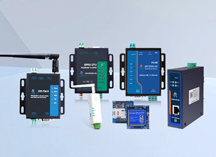
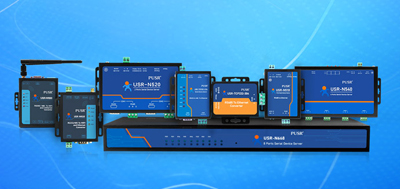
PUSR's USR-TCP232-410s is a dual-port serial server with one RS485 port, allowing direct connection to a solar inverter's RS485 interface. Unlike single-port devices, the dual-port design enables RS232 and RS485 peripherals to connect simultaneously and communicate independently.
The device supports Modbus RTU to Modbus TCP protocol conversion and can function as a Modbus gateway forwarding data across heterogeneous networks. It also supports MQTT, allowing inverter data to be bridged to an MQTT Broker, which Home Assistant then subscribes to via its MQTT integration. This architecture suits scenarios requiring multi-platform data sharing.
For industrial environments, USR-TCP232-410s accepts DC 5-36V wide-voltage input and operates across -40℃ to +85℃, making it suitable for solar equipment rooms or outdoor electrical cabinets exposed to strong sunlight and temperature swings.
Step One: Hardware Wiring and Network Setup
Connect the inverter's RS485 A(+) terminal to the converter's RS485 A port and B(-) to B. Plug the converter into a LAN router via Ethernet cable, then apply DC power.
Step Two: Converter Parameter Configuration
Log into the converter's web management interface, set serial parameters to match the inverter (9600bps, 8N1, device address 1), select Modbus gateway mode, and enter the target IP address and port (Home Assistant's IP and default Modbus TCP port 502).
Step Three: Home Assistant Integration
Add the Modbus integration to Home Assistant's configuration.yaml:
After restarting Home Assistant, real-time inverter data becomes available on dashboards or in Developer Tools.
1. What is an RS485 to Ethernet converter?
An RS485 to Ethernet converter (also called a serial server) is a device that connects RS485 serial equipment to TCP/IP networks. It translates Modbus RTU data from RS485 devices such as inverters and energy meters into Modbus TCP format for remote data retrieval and transmission.
2. What communication protocols does a converter support?
Mainstream serial servers support Modbus RTU/TCP, Modbus ASCII, MODBUS-ICP, Profinet, EtherNet/IP, and other industrial protocols. Some devices additionally support MQTT, SSL/TLS encrypted transmission, and edge computing functions, enabling selection based on actual deployment scenarios.
3. How to determine whether a converter supports Modbus RTU to Modbus TCP conversion?
Verify that the device includes a Modbus gateway mode (not just transparent transmission) and can handle RTU frame CRC checksums and inter-frame silence intervals. Product datasheets usually label this capability as "Modbus gateway" or "protocol conversion."
4. What happens if RS485 A and B terminals are wired backwards?
RS485 uses differential signaling, so reversed polarity typically causes communication failure. If data cannot be read after connection, try swapping the A and B wires. Some converters feature communication status LEDs to assist with polarity verification.
5. What problems arise from incorrect serial parameter configuration?
Mismatched baud rate, data bits, stop bits, or parity settings prevent the converter from parsing inverter data frames, resulting in anomalous readings or device offline status in Home Assistant. Always consult the inverter manual and match parameters before configuration.
6. What mounting options does the USR-TCP232-410s support?
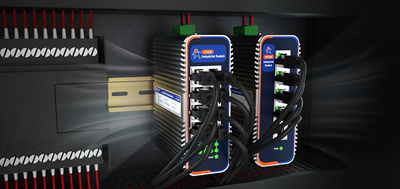
DIN-Rail and wall-mount configurations are available, fitting various installation environments. DIN-Rail mounting is particularly suited for industrial control cabinets and electrical distribution boxes.
7. How many RS485 devices can a converter connect?
This depends on the physical capacity of the RS485 bus. Standard RS485 supports up to 32 nodes. Actual deployment considers load and cable length, and signal amplifiers can extend capacity further when needed.
8. How does the deployment cost compare to a Wi-Fi stick?
The upfront investment for a serial server exceeds a vendor-included Wi-Fi stick. However, better stability, longer service life, and lower maintenance costs make the total cost of ownership lower in large-scale or continuously operating systems.