In environments without stable mains power — vehicles, outdoor monitoring stations, temporary construction sites — an industrial router is the critical node keeping field equipment connected to the cloud. Unstable power supply is the most common source of failure in these scenarios: vehicle cold starts can drop voltage below 9V in an instant, and the charging system pushes it above 14V once the engine runs. Lightning-induced surges can also flood power lines in outdoor distribution cabinets. A router with inadequate power design will reboot or go offline under such fluctuations.
Solving power supply for industrial routers requires a plan covering input range, protection mechanisms, and installation methods. Below is the sequence to follow when deploying in the field.
Vehicle electrical systems are rated at 12V or 24V, but actual operating voltage varies widely. During a cold start, a lead-acid battery terminal voltage can drop to 9V or lower; when the engine runs, the alternator output stabilizes at 13.5V-14.8V (for 12V systems) or 26V-28V (for 24V systems). Temporary power from a small generator may have even wider voltage swings.
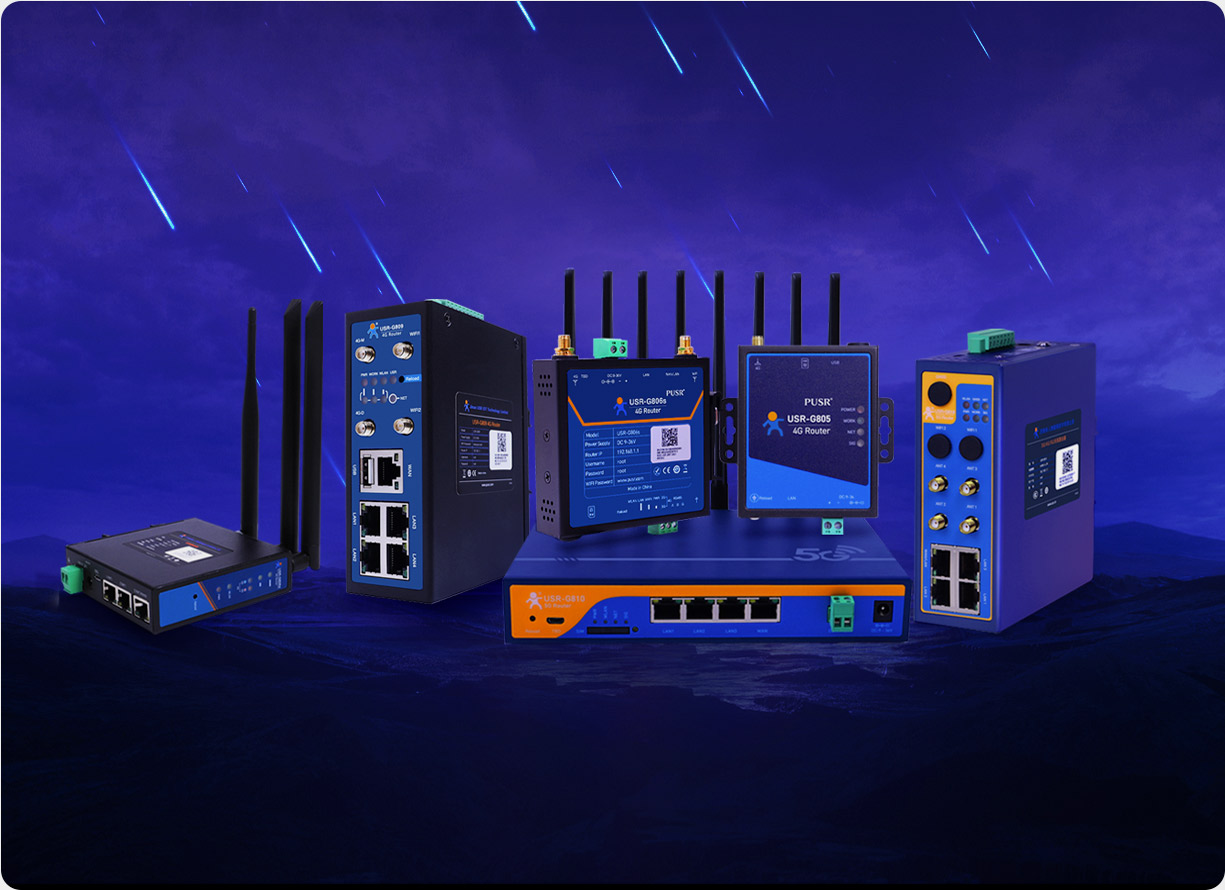
Industrial routers use a wide-voltage DC input design, with a typical range of DC 9-36V. This means a single device can connect directly to a 12V car battery, a 24V construction machine power system, or even a 48V communication power supply — no external voltage regulator or DC-DC converter required. PUSR's USR-G816 and USR-G806w both support a DC 9-36V input range, handling voltage drops during vehicle startup on 12V systems while working fine on 24V systems.
Wide voltage range is only the baseline. What matters more is the stability of the power module at boundary voltages: at 9V, the input current is three times higher than at 24V, causing more heat from the power conversion chip and capacitors; at 36V, the voltage stress on switching transistors increases. If a vendor cannot provide efficiency curves at different input voltages or derating tables, request a sample unit and conduct at least a 72-hour stress test at boundary voltages before deployment.
Power circuits in vehicles and industrial sites are far more complex than an office. Reversing power cable polarity is a common mistake by first-time installers. Old vehicle wiring harnesses produce voltage spikes during short circuits or sudden load changes. In thunderstorms, outdoor power lines can carry lightning-induced surges. Without proper protection, a single wiring error can destroy the entire router.
Industrial routers typically include the following protection mechanisms at the power input:
For vehicle installations, add a disconnect switch and fuse at the power input — the device's built-in protection is the second line of defense; the upstream fuse is the first.
Industrial routers typically offer two power interface options: a DC round jack (5.5*2.1mm) and an industrial terminal block (V+ / V-). Each has trade-offs for different scenarios.
The DC jack is convenient for desktop use or temporary debugging in a cabinet, but may loosen in long-term vibration environments. The terminal block clamps wires with screws and is better suited for vehicles, construction machinery, and outdoor distribution boxes where vibration is significant. Both PUSR USR-G816 and USR-G806w support both interface types, allowing selection based on the installation environment.
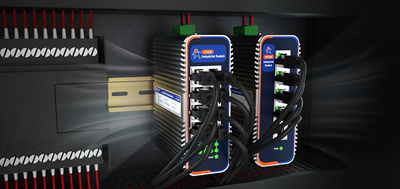
For vehicle installations, the router is commonly fixed in the cab or a cargo box control cabinet, wired via terminal block and connected to an ACC signal (ignition detection line) to implement "power on with ignition, power off with delay after engine stop." For outdoor cabinets, DIN rail mounting is more common, with the device installed next to a 480V surge protector or circuit breaker, drawing power from the same distribution bus.
Power consumption affects two things: battery runtime and device temperature. A parked truck battery has limited capacity; a high-power router connected to it can drain the battery in a few days. A 4G router consuming 260mA@12V (about 3W) versus a 5G router drawing 1.6A@12V (about 19W) shows a very significant difference in battery-powered scenarios.
Most industrial routers use a fanless design with a metal enclosure. The metal housing acts as a heat sink, radiating heat through its surface. This eliminates fan bearing wear and is suited for unattended long-term operation, but the device must not be sealed in a completely closed enclosure — some airflow or exposed surface area is necessary.
Work through the following items before on-site deployment to avoid most power-related failures:
Powering an industrial router in vehicles and remote sites is fundamentally about making electronic equipment adapt to an uncontrolled power environment. Wide-voltage input handles voltage swings, power protection guards against wiring errors and circuit faults, proper installation methods and interface choices reduce physical risk, and low-power design extends battery runtime. Select the right device, install it correctly, and power supply becomes a solved problem.
Home routers typically only support AC 100-240V adapter power supply, with fixed input voltage in a stable environment. Industrial routers use DC wide-voltage input (e.g., 9-36V) to handle voltage fluctuations from vehicle batteries, outdoor distribution cabinets, and other scenarios, while providing industrial-grade power protection such as reverse polarity protection and surge suppression.
Yes. The wide-voltage input (DC 9-36V) of industrial routers covers the full voltage range of a 12V vehicle system, from 9V during cold starts to 14.8V when the engine runs. It is recommended to use terminal block wiring with a fuse, and to utilize the ACC signal for ignition-on, delayed-power-off-after-engine-stop power management.
It means the device can accept a DC input voltage from a minimum of 9V to a maximum of 36V. Within this range, the device can start and operate normally regardless of whether the input is 12V, 24V, or any intermediate value. Operating outside this range may prevent startup or risk damage.
Most industrial routers support DIN rail mounting or wall mounting. PUSR USR-G816 supports desktop, wall mounting, and DIN rail mounting; USR-G806w supports panel mounting and DIN rail mounting. DIN rail mounting is suitable for centralized deployment in distribution cabinets, facilitating maintenance and expansion.
Industrial routers typically operate between -20°C and +70°C; some models extend to -35°C to +75°C. In vehicle environments, surface temperatures inside a cabin can exceed 60°C in summer, and in northern regions during winter the ambient temperature can drop to -30°C or lower. Therefore, an industrial-grade device covering extreme temperatures is required.
A hardware watchdog is a monitoring mechanism. If the router freezes due to electromagnetic interference or other causes, the watchdog will automatically reboot the device if it does not receive a "heartbeat signal" within a set time — no on-site intervention required. PUSR USR-G816 includes a built-in hardware watchdog, helping ensure continuous operation in unattended scenarios.
Yes. Most industrial routers offer a Web management interface and a companion cloud platform for remote status monitoring, configuration changes, firmware upgrades, and fault alarms (e.g., device offline alerts, low signal alerts, data overage alerts). PUSR provides a cloud management platform that enables centralized management of routers deployed across different locations.
Dual SIM functionality provides network redundancy. The primary SIM handles normal communication; when the primary SIM's carrier loses signal, the account is suspended, or data is exhausted, the router can