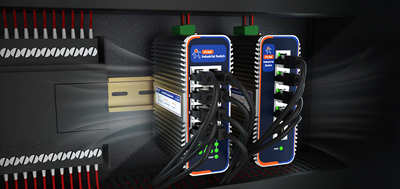
A machine ships to a customer plant, and on acceptance day the customer IT team lists three requirements: no open inbound ports on the control network, video traffic separated from control traffic, and a record of who connected remotely and when. All three sound like requirements aimed at the supervisory host. Inside the cabinet, one device answers every one of them. An industrial cellular router sits exactly on that line between the public network and the plant network.
A common assumption is that NAT plus a password on the admin page is enough. The assumption misses direction. NAT blocks connections initiated from the outside. A password governs the router login page itself. A plant network has at least four directions to manage: what devices may call out to, how people get in from outside, how far they can move sideways once in, and where the router admin page itself is exposed.
NAT translates internal addresses to the egress address and lets connections initiated from inside pass by default. A laptop plugged into the cabinet switch, a camera with a backdoored firmware image, a supervisory PC carrying malware: all three reach the internet along that same legitimate path. NAT does not look at that direction.
Outbound rules cover it. Write down every permitted destination and deny the rest. Fixed targets go in as IP addresses; anything resolved by name goes on a domain allowlist. Two defaults cause trouble. Source IP and source MAC are mutually exclusive, so the IP field stays empty when matching by MAC. Enabling a domain allowlist without adding any rule blocks every domain rather than allowing all of them. Rules also need a reboot from the system menu before they take effect, which is the step most often skipped. Bandwidth can be handled in the same pass: rate limit by IP range or MAC, start with a limit that does not cut service off, then watch the result.
The USR-G806w lines up with those tasks. Traffic rules define what is accepted and what is refused, access restrictions handle domain allow and deny lists, and rate limiting allocates bandwidth by IP range or MAC. At 104 x 102 x 28 mm, with DIN rail or wall mounting and -20 to 70 degrees Celsius operation, it fits cabinet positions where space is tight; terminal block and DC jack give two power inputs.
The quickest way to enable remote maintenance is port forwarding, mapping the supervisory host login page onto a public port. It works, and the cost is equally clear. Public address ranges are scanned continuously, and opening that port puts unpatched software and weak passwords on display together.
A tunnel changes the picture. No inbound port is needed on the public side; the management path exists only inside the tunnel. Two things matter when selecting hardware: whether the protocol set is complete, and whether certificates can replace static passwords. Certificates are issued per person and revoked on departure, which removes weak passwords and password reuse at the same time. Where a customer IT department will only permit its own platform, having the router connect as a client to that server clears acceptance more easily than asking the team to add a new system.
One self-check is worth the few minutes it takes: open the router admin page from a phone on a cellular network. If the login page loads without a tunnel, that door is open.
The USR-G816 supplies the conditions for this layer. Five VPN protocols are supported (IPSec, OpenVPN, PPTP, L2TP, GRE), and enhanced OpenVPN connects to three servers at once or acts as the server itself, so distributed sites share one tunnel; .ovpn and PKCS#12 files import in one step. On the uplink side, 5G SA/NSA with dual SIM (SIM2 optionally an embedded eSIM) avoids carrier dead zones, and Ethernet and cellular fail over automatically. DC 9-36 V input with reverse polarity protection, metal housing rated -35 to 75 degrees Celsius and IP30, DIN rail or wall mounting, built-in watchdog. Three alarm classes, device offline, weak signal, and data limit exceeded, push by email and SMS.
The first two layers govern traffic entering and leaving. This one governs lateral movement. Cameras are among the most frequently exploited endpoints on site, and under no normal operating condition do they need to talk to a PLC. Splitting the control network, video network, and office network means one compromised device in a zone has no route into the neighboring zone.
Port count decides the method. With enough spare Ethernet ports, one port per subnet with the gateways on the router makes unplugging a cable equivalent to disconnecting a zone, and no extra switch is needed in the cabinet. When ports run short, VLANs come next: create the VLAN and sub-interface on the router, set access and trunk ports on the switch, bind the SSID to the matching VLAN on the wireless side. All three change together, and missing one leaves the segmentation incomplete. Plan subnets per zone once and leave gaps, so devices added later do not force renumbering.
USR-G809s provides the headroom here: 2 x WAN/LAN, 6 x LAN, and 2 x SFP (one SFP shared with a copper port), with independent VLAN subnetting plus firewall, NAT, and DMZ listed in the official solution scope, dual Ethernet and cellular backup, wide-range DC 9-60 V input with reverse polarity protection, DIN rail mounting.
Three directions configured, the most basic one can still undo the work. Default factory credentials are public knowledge, so changing them is the first task at delivery. Export configurations with the site ID and date for archiving, and keep the Keep settings option checked when upgrading firmware so rules are not cleared along with the image. Machines connected to a cloud platform have a second entry point in that platform channel, and those accounts belong in the same permission management as the device itself. Routine parameter changes, reboots, and firmware upgrades go through the remote management platform rather than opening a tunnel every time.
Four documents ship with the machine: the address and subnet plan, the rule list including rule order, the tunnel account list with validity periods, and the alarm recipients plus firmware version record. Two checks on site close it out. Addresses on the permitted list reach their targets and addresses off the list cannot, and that test round is the acceptance record. Then unplug the primary link, time the recovery, and confirm the rules carried over with the link.
Taken one direction at a time, NAT and a password each cover a single block. Configuring an industrial cellular router as a boundary device rather than as internet access gives the customer IT team an answer to all three requirements.
1. Why firewall rules when NAT is already there?NAT blocks externally initiated connections; internal devices calling out pass by default. Outbound rules govern the latter: which destinations a device may reach and which it may not.
2. Once the tunnel is up, does the PLC still need a public address?No. The accessed side keeps a private address, the only device visible on the public side is the router, and no inbound port is opened.
3. Can source IP and source MAC both be filled in?No, the two are mutually exclusive. Leave source IP empty when matching by MAC; place the catch-all deny rule last, and reboot from the system menu for changes to take effect.
4. What if the destination is not a fixed IP?Use a domain allowlist instead. Watch the default: enabling the allowlist without adding any rule blocks every domain rather than allowing all of them.
5. Does separating two zones require VLANs?With enough spare ports, one subnet per port is enough and no cabinet switch is needed. VLANs come in when ports run short, and router, switch, and wireless must all be configured together.
6. What makes certificates better than passwords?Certificates are issued per person or contractor and revoked on departure, which handles weak passwords and password reuse together. Confirm that .ovpn and PKCS#12 files import in one step.
7. A device keeps sending data out. How to locate it?Rate limit by IP range or MAC and watch, then disconnect devices one at a time against the traffic rules for comparison. A data limit alarm takes a threshold and pushes by email and SMS.
8. When something goes wrong at a site, how to tell whether the router itself is at fault?Three alarm classes, device offline, weak signal, and data limit exceeded, push by email and SMS; online status and signal quality are visible directly on the remote management platform.