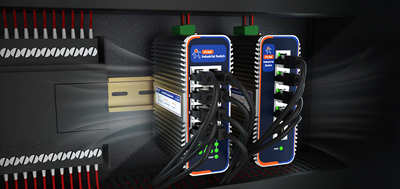
A shipment arrives at a customer's plant. Inside the cabinet sit a PLC and an HMI panel, two network cameras stand several hundred meters away, and a temperature controller exposes nothing but an RS485 port. Process parameters need adjusting, footage needs checking, and the least costly outcome is an engineer finishing both tasks from the office. The boundary set by the customer's IT team is equally clear: none of these may appear on the Internet directly.
The way to satisfy that boundary is not to hide the devices. Move the entry point onto the router. The accessed side keeps private addresses, and the only thing visible from the public network is that one router. This is the position an industrial VPN router holds: whoever comes in passes through the tunnel first, and outside the tunnel no port is open.
The most common approach to remote access is a port mapping, or dropping the device straight into a DMZ: one address plus one port from outside lands on the PLC or the camera login page. That route works, and its cost is equally clear. Public address ranges are scanned continuously, and once that port is open, the PLC engineering port, default camera passwords, and unpatched holes in the host software all end up outside with it.
Consumer hardware lacks the control granularity such a site needs. In buying discussions aimed at home users, someone wanted to restrict the reach of each device individually; the management tools available came down to parental controls inside a phone app, cutting access by schedule but stopping short of specifying which peers a given device may contact. On a plant floor, that gap decides whether "may enter the tunnel" and "may touch the PLC" can be treated as two separate questions at all.
Three shapes cover most PLC access. The first is a host computer or programming suite reaching the PLC through its Ethernet port: once the tunnel is up, having that private address reachable from the far end is enough. The PLC itself has neither a public address nor an outward-facing port.
The second covers legacy equipment with nothing but a serial port. RS485 or RS232 wires into the router's serial terminal, the four serial settings (baud rate, data bits, parity, stop bits) follow the field manual, and the router side performs Modbus RTU to TCP conversion so a remote host reads registers over Modbus TCP. Data travels inside the tunnel, and on the device side it remains a wire in a cabinet.
The third takes one more step. Some older engineering software discovers devices by broadcast, and tunnels across routers do not carry that traffic by default. Rather than rewriting the protocol, choosing a solution with Layer 2 networking is more direct: official solution material notes that Layer 2 networking lets remote programming software see the distant PLC directly, with no protocol conversion.
Cameras differ from PLCs in stream behavior. Reading a PLC moves occasional small packets, while pulling video is sustained throughput, and cellular uplink runs far below downlink. A 4G LTE Cat4 uplink tops out at a few tens of megabits in theory and takes further discounts on site. Before pulling streams remotely, settle two numbers: how many channels stream at once, and how much uplink each one needs.
Where bandwidth runs short, savings come from two places. Leave the main stream to local recording and pull only the substream remotely. Schedule bulk playback and footage downloads into overnight windows instead of competing with live production data for the same uplink. With several channels returning at once, the tunnel ceiling matters too: platform documentation puts VPN bandwidth at 50 Mbps per gateway.
Three checks follow once the tunnel is up, and the order matters. First, scan the site address from the public side: every target port should come back closed. That result is the only evidence of not being exposed. Second, ping the PLC address through the tunnel, go online once with the programming software, pull a live camera view, and note how long the first frame takes and whether frames keep dropping. Third, unplug the uplink once with a stopwatch, record the recovery time, and confirm whether acquisition and recording continued during that wait.
Day-to-day work does not have to touch the tunnel every time. Parameter changes, restarts, and firmware upgrades run through the remote management platform, where online status and signal quality are visible directly; alarms for offline devices, weak signal, and exceeded data quota push by email and SMS.
USR-G809s: when one site carries a PLC, an HMI, and several cameras, port count comes first. 2 x WAN/LAN, 6 x LAN, and 2 x SFP (one SFP shared with a copper port) allow mixed copper and fiber wiring without an extra switch in the cabinet. Official documentation states that no public or leased-line IP is needed and that networking can be built in minutes for cross-region LAN penetration between endpoints. DC 9-60 V wide input with reverse polarity protection, aluminum housing, DIN rail mounting, and USB plus SD card expansion leave local recording somewhere to land.
USR-G816: where no fixed line reaches the site, or equipment travels in vehicles, cellular becomes the primary link rather than backup. 5G SA/NSA with dual SIM (SIM2 optionally an embedded eSIM) avoids carrier dead zones; five VPN protocols including enhanced OpenVPN, plus tunnel keepalive. RS232/RS485 terminals handle Modbus RTU to TCP and UDP passthrough at 1200 to 460800 baud, so serial-only devices need no separate converter; DC 9-36 V with reverse polarity protection, -35 to 75 degrees Celsius, IP30, 125 x 103 x 45 mm, DIN rail or wall mount.
The whole approach compresses into one line: the entry point stays on the router, accessed devices stay on private addresses, invisibility is proven from the public side first, then usability from inside the tunnel. Pick an industrial VPN router that can hold that entry point, and remote maintenance stops being a one-off site visit.
1. Does remote PLC access require port forwarding?No. Let the field side initiate the tunnel, allow only outbound traffic along the path, and no inbound port opens at the customer end. The same holds when the cellular link hands out a carrier-internal address.
2. How does a serial-only device join remote access?Wire RS485 or RS232 into the router's serial terminal and let the router perform Modbus RTU to TCP conversion, so a remote host reads registers over Modbus TCP. The device itself needs no IP address.
3. How much bandwidth should be reserved for remote camera viewing?Count simultaneous channels and per-channel bitrate, then measure the actual uplink of the chosen link. Keep the main stream local for recording, pull only the substream remotely, and run playback and overnight downloads off peak.
4. When is Layer 2 networking needed?When host software relies on broadcast discovery, since ordinary routed tunnels do not forward that traffic by default. Official solution material notes Layer 2 networking lets remote programming software see the distant PLC directly, with no protocol conversion.
5. How do sites without public addresses interconnect?Official documentation describes networking without public or leased-line IP, establishing cross-region LAN penetration in minutes so endpoints talk to each other directly. Confirm coverage for the model under consideration before specifying.
6. How can it be proven that nothing was exposed to the Internet?Run one port scan against the site address from the public side; every target port should come back closed. That scan works as an acceptance record at handover.
7. What happens to data while the tunne