VLANs are configured and subnets are separated, yet the camera segment can still pull files from a shared folder on the supervisory computer. The VLAN is doing its job: it splits broadcast domains. Which device may then reach which other device is decided by a different set of configuration.
Segmentation takes two steps: separate the devices first, then control the paths between them. The two steps use different functions and rarely sit in the same screen. A single cellular router carries both, and the only real question is which one comes first.
A request to group devices and block cross-group access should not start with VLAN creation. Start with a table of three columns: initiator, target, port and protocol. The supervisory computer reads port 502 on the PLC. Cameras send their streams only to the recorder. Industrial PCs connect to a license server on site. Meters report to a cloud address on their own. Once the table is filled in, the number of segments suggests itself: devices that must reach each other go together, everything else gets a segment of its own.
Grouping by device type creates problems later. Two devices of the same kind, one of which needs cloud access and one of which must stay off the internet, forced into one segment can only be patched afterwards rule by rule. Grouping by access relationship leaves fewer rules to write.
The table has a second use: at handover it becomes the acceptance checklist, and it is what the customer IT team asks to see.
Segmentation does not always require VLANs. Where the number of segments does not exceed the free ports and the devices sit on the same cabinet panel, one port per subnet is the simplest arrangement: every gateway lands on the router, an unmanaged switch is sufficient, 802.1Q never comes into it, and during troubleshooting the cable pulled is the segment identified.
VLANs enter when ports are not enough. A machine with only one network port left, a segment that needs its own switch, or wireless clients inside a segment all qualify. VLANs mean configuring three places at once: on the router, create the VLANs and sub-interfaces and start address assignment; on the switch, put access ports into the matching VLAN and set the uplink to trunk; on the access point, bind each SSID to its VLAN. Missing any one of the three produces the same result, segmentation in name only. Wireless clients are the easiest to overlook, and they land in the default segment.
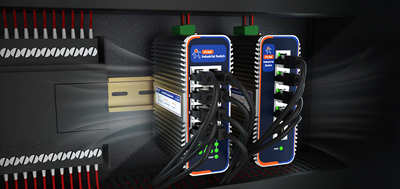
The USR-G809s leaves the most room at this step: 2 SFP optical ports plus 8 gigabit copper ports, some of the copper ports configurable as WAN or LAN, with VLAN-based independent subnet segmentation listed among its capabilities on the manufacturer solution page, alongside firewall, NAT, DMZ and dual-link backup across Ethernet and cellular on the same unit. Three or four segments plus a serial meter on one site is well within reach. Planning subnets per segment once, with gaps left between them, means later devices or a later production line can take addresses from the plan instead of forcing the whole table to be rebuilt.
One type of request cannot be fulfilled at all: two devices still on the same subnet that should not see each other. Forwarding rules act on traffic crossing subnets and traffic leaving the site. Two devices on the same LAN reach each other through layer 2 switching, and those frames never pass through that rule chain.
Two options exist: move them into different VLANs, back to the previous step, or configure port isolation on the switch. No number of rules added on the router will help.
When the path between two devices is unclear, remove the gateway address from one of them and ping again. A reply means layer 2; silence means the traffic was being routed.
The reverse case is good news. Where the requirement is only that a segment communicates internally and stays off the internet, a rule on the outbound direction is enough, and nothing inside the segment needs to change.
The fields in a rule are few: source zone, source address, destination zone, destination address, protocol and port, and action. Two defaults cause most of the trouble. Source IP and source MAC are mutually exclusive, so the IP field stays empty when matching by MAC. Allow rules go first and the catch-all deny goes on the last line. A restart has to be performed in the system afterwards, or the rules never take effect.
Where the destination is not a fixed IP address, a domain whitelist under access restrictions covers it, and there is a default to remember there as well: a whitelist enabled with no rule added to it leaves every domain unreachable.
The firewall menus on the USR-G806w are exactly these blocks: traffic rules for forwarding, access restrictions for domain blacklists and whitelists, and rate limiting by IP range or MAC. OpenVPN supports one-click import of .ovpn and PKCS#12 certificate files, so remote maintenance needs no separate platform. Where cabinet space is tight, it measures 104×102×28 mm and mounts on a DIN rail or a wall.
Segmentation works laterally; outbound traffic is vertical, and the two are counted apart. Every segment needs its own outbound path written out: where it may go, where it may not, and which link it takes. Once a project spans several sites, the outbound link is rarely the same everywhere: wired broadband where a line reaches the plant, cellular only at remote points. Whether a link switchover carries the rules along with it has to be verified once during commissioning.
The USR-G816 suits high bandwidth and scattered sites: 5G SA and NSA, five VPN protocols, OpenVPN able to connect to three servers or act as a server itself, a built-in watchdog, WAN Failover that switches to the backup link automatically, and access control together with IP, MAC and domain filtering in the same layer. The metal housing is rated -35 to 75°C, mounted on a DIN rail or a wall.
Addresses on the list can connect and addresses off the list cannot: that round of testing is the acceptance record. Ping separately the addresses that are supposed to reach each other inside a segment. Then unplug the primary link and time the switchover, watching whether the rules follow it. With those three done, the subnet table, rule list and address allocation become documentation shipped with the machine.
VLANs separate the devices; firewall rules control the paths. List who needs to reach whom, count the ports to decide between physical ports and VLANs, then write the rules in order and restart. Segmentation on one cellular router comes down to those three steps.
1. Are a VLAN and a subnet the same thing?No. A VLAN is a layer 2 concept that splits broadcast domains, and ports on one switch can belong to different VLANs. A subnet is a layer 3 address range. In practice the two map one to one, one subnet per VLAN, but the isolation comes from the VLAN layer.
2. Can devices in two segments still reach each other after segmentation?Not by default. Anything that must communicate needs a forwarding rule on the router, allowed line by line by initiator, target, protocol and port. That is the point of segmentation: communication becomes something explicitly permitted rather than something that happens by default.
3. Does VLAN segmentation require replacing switches with managed ones?Not necessarily. Where every device plugs directly into a router port, the router does the splitting and even an unmanaged switch is unnecessary. A switch that supports 802.1Q access and trunk configuration is only needed when a segment holds many devices sharing switch ports.
4. Why do rule changes fail to take effect?Saving the configuration is not the last step; a restart still has to be performed in the system, and that step gets skipped more often than any other. Rule order matters too: the catch-all deny belongs on the last line, otherwise it blocks the allow rules above it.
5. Can source IP and source MAC both be filled in?No, the two are mutually exclusive. When matching by MAC, the source IP stays empty, and the same holds in reverse. Matching by MAC keeps a rule valid after a device changes address, at the cost of reconfiguring when a network card is replaced.
6. How is one segment restricted to specific domains?Use the domain whitelist under access restrictions and add the permitted domains one by one. Watch the default: a whitelist enabled with no rule added to it makes every domain unreachable. After configuring, test with one permitted domain and one that should be blocked.
7. How do wireless clients get sorted into different segments?Bind SSID to VLAN on the access point side, so different SSIDs land in different subnets. Configuring only the router and the switch while missing the access point sends every wireless client to the default segment: the network looks healthy while segmentation is not actually working.
8. Does remote maintenance need a separate path?Yes. Remote maintenance runs over an encrypted tunnel, and a tunnel solves reachability, not scope. Which addresses and ports someone arriving through it can reach is still decided by the forwarding rules. Issue one certificate per person or per contractor, revoked or reissued the moment the job ends.