Industrial Router IP Conflict Alarm? Guide to Avoiding Pitfalls in DHCP Server Configuration
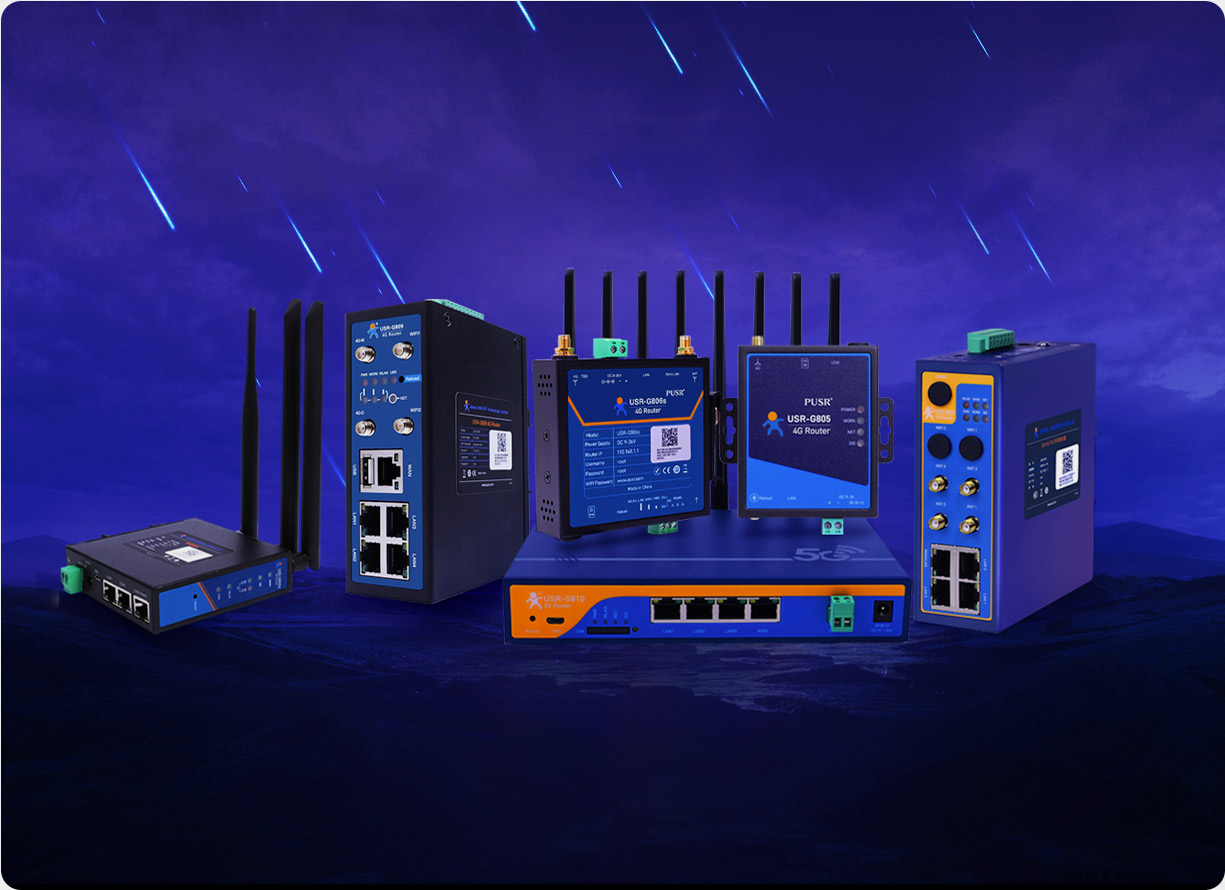
In the context of the Industrial Internet of Things (IIIoT), network stability is the lifeblood of production continuity. However, IP address conflicts, which can lead to device disconnections, data loss, and even production interruptions, have become an "invisible killer" in the process of enterprise digital transformation. A certain automobile manufacturing enterprise once experienced a collective offline status of 200 PLC devices due to IP conflicts, resulting in a production line halt for 4 hours and direct losses exceeding 5 million yuan. This article will deeply analyze the root causes of IP conflicts, provide pitfall-avoidance solutions for DHCP server configuration based on the characteristics of industrial networks, and recommend the USR-G806w industrial router, which is suitable for high-reliability scenarios, to help enterprises build a zero-fault network.
In industrial networks, DHCP servers often trigger conflicts due to the following configuration mistakes:
Address Pool Overlap: Failing to distinguish address ranges for different VLANs leads to cross-subnet IP duplication. For example, a chemical enterprise set the DHCP address pools for both the control network (VLAN10) and the management network (VLAN20) to 192.168.1.100-200, causing conflicts between PLC and HMI devices.
Gateway Address Not Excluded: Including the gateway IP (e.g., 192.168.1.1) in the DHCP allocation range may result in devices obtaining the gateway address and subsequently losing network connectivity.
Missing Option Parameters: Failing to correctly configure critical parameters such as Option 3 (gateway) and Option 6 (DNS) prevents devices from communicating even after obtaining an IP address.
Industrial Scenario Risks: In Time-Sensitive Networks (TSN), IP conflicts may cause packet out-of-order issues, leading to uncontrolled robot movements or AGV vehicle collisions.
Static IPs are often assigned to critical devices such as PLCs and servers in industrial settings, but if not isolated from the DHCP address pool, conflicts are likely to occur. For example:
An electronics factory set the static IP of a printer to 192.168.1.150, while the DHCP address pool range was 192.168.1.100-200, resulting in newly connected devices randomly obtaining the 150 address.
Maintenance personnel manually set IPs for temporary debugging devices without promptly restoring dynamic allocation, creating potential conflict risks.
Data Alert: According to statistics, over 60% of IP conflicts in industrial networks are caused by the mixed use of static and dynamic IPs.
Industrial devices (such as mobile inspection robots and handheld terminals) often fail to properly release IPs due to dormancy or network switching (e.g., from Wi-Fi to 4G). For example:
An AGV vehicle in a logistics warehouse reconnected to the network after dormancy, and the DHCP server may have assigned its original IP to a new device, causing conflicts between the two vehicles.
When a device moves across subnets, the DHCP lease in the original subnet has not expired, leading to the same IP being allocated again in the new subnet.
Technical Principle: The DHCP lease mechanism is designed to optimize IP utilization, but in industrial mobile scenarios, it requires a "fast release" strategy (e.g., shortening the lease time to 1 hour) to reduce risks.
Unauthorized devices (such as privately connected routers or employee mobile phones) may interfere with IP allocation:
An employee of a manufacturing enterprise privately connected a home router, whose built-in DHCP server conflicted with the industrial network, causing 20 devices to lose network connectivity.
Attackers can disrupt normal communication by forging IP addresses through ARP spoofing.
Defense Recommendation: Deploy the DHCP Snooping function to bind the MAC address of legitimate DHCP servers on switches and block illegal sources.
Divide address pools by VLAN: Each VLAN uses an independent address segment (e.g., VLAN10: 192.168.10.100-200; VLAN20: 192.168.20.100-200) to avoid cross-subnet conflicts.
Reserved Static IP Zone: Reserve the end segment of the address pool (e.g., 192.168.10.201-254) as a static IP zone, completely isolated from the dynamic allocation zone.
Optimize Lease Time: Set the lease time based on device stability (e.g., 24 hours for fixed devices and 1 hour for mobile devices) to balance IP utilization and recovery efficiency.
Case Reference: A steel enterprise reduced the conflict rate by 90% by shrinking the DHCP address pool to 50% capacity (e.g., 100-150) and reserving 50% as a static zone.
Standard VLAN Gateway: Each VLAN uses a default gateway with a tail number of .1 (e.g., VLAN10 gateway 192.168.10.1), hosted by a Layer 3 switch or industrial router, and avoided on control terminals.
High-Address Gateway: In systems centered around PLCs, set the gateway to .254 (e.g., 192.168.10.254) and reserve low addresses (.1-.10) for PLCs to avoid conflicts.
Edge Subnet Without Gateway: In scenarios primarily focused on local communication (such as robot EtherCAT links), DHCP only allocates IPs and subnet masks without providing Option 3 to reduce latency fluctuations.
Technical Basis: The Huawei AR600 series router configuration guide explicitly requires that the DHCP server must deliver the gateway address through the Option 3 field and that it must be consistent with the VLAN interface address.
Option 3 (Gateway): Must match the VLAN interface address. For example, if the VLAN10 gateway is 192.168.10.1, the DHCP must deliver this value.
Option 6 (DNS): Prioritize using public DNS (e.g., 114.114.114.114) or DNS provided by ISPs to avoid "false disconnections" of devices due to DNS resolution failures.
Option 43 (Vendor Specific): Deliver vendor-customized parameters for specific devices (such as IP cameras) to ensure compatibility.
Tool Recommendation: The USR Cloud platform can be used to batch configure DHCP Option parameters and visually monitor their delivery status.
MAC Address Binding: Bind the MAC and IP addresses of key devices in the DHCP server to prevent illegal devices from obtaining addresses.
Port Security: Limit the maximum number of MAC addresses on switch ports (e.g., only 1 MAC address per port) to block privately connected routers.
802.1X Authentication: Authenticate terminal devices, and unauthenticated devices cannot obtain IPs.
Data Support: An energy enterprise reduced illegal device access incidents by 95% after deploying port security.
Log Analysis: Enable DHCP server logs to record IP allocation, conflict alarms, and other information, and generate visual reports through the USR Cloud platform.
ARP Scanning Tools: Use commands like arp -a or network scanning tools (such as Advanced IP Scanner) to regularly detect duplicate IPs.
IP Address Management (IPAM) Software: Deploy tools such as SolarWinds IPAM to automatically monitor IP usage and provide early warnings of conflict risks.
Practical Tips: In the USR-G806w industrial router, DHCP allocation records can be quickly viewed through the Web interface or AT command set, and remote troubleshooting can be achieved in combination with the PUSR Cloud platform.
In complex industrial scenarios, the USR-G806w industrial router completely avoids IP conflict risks through the following designs:
Primary and Backup DHCP Services: Built-in dual DHCP engines automatically switch to the backup service when the primary service fails, ensuring uninterrupted IP allocation.
Address Pool Isolation: Supports the allocation of independent address pools for different VLANs and achieves logical isolation through VLAN tags (802.1Q).
Static IP Binding: One-click binding of device MAC and IP addresses in the PUSR Cloud platform prevents manual configuration errors.
Lease Visualization: Real-time display of the lease status (allocated/about to expire) of each IP to provide early warnings of potential conflicts.
All-Metal Housing with IP30 Protection: Withstands dust and vibration impacts, suitable for factory and warehouse scenarios.
Wide Temperature Design (-20℃~70℃): Operates stably in high-temperature workshops or low-temperature outdoor environments, avoiding IP conflicts caused by hardware failures due to temperature issues.
4G/Wi-Fi/Wired Triple-Network Backup: Automatically switches to 4G or Wi-Fi when the wired network is interrupted, avoiding DHCP service interruptions due to single-network failures.
Cloud Eagle Card for Automatic Operator Switching: Built-in eSIM card from China Telecom supports automatic switching among the three major operators' networks, ensuring stable connectivity even in areas with weak signals.
If you are facing IP conflict issues in your industrial network or need to upgrade to high-reliability network equipment, the USR-G806w industrial router and the USR Cloud platform can provide a one-stop solution:
Free Network Diagnosis: Submit your current network topology diagram to obtain an IP conflict risk assessment report.
Customized Configuration Services: Design DHCP configuration solutions based on your scenarios (such as PLC control networks and AGV scheduling networks).
Protecting the stability of industrial networks starts with avoiding IP conflicts! Click to consult now and embark on a reliable path for digital transformation.