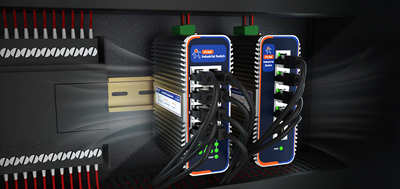
When a quote lists an industrial router, an industrial switch, and several APs side by side, price is rarely what stalls the decision. Two simpler questions do: which device is responsible for getting data out of the workshop, and which one the inspector's handheld is supposed to connect to.
The three pieces handle three different jobs. Sorting them out starts by settling the single device that owns the exit — the industrial cellular router — and then working backwards, rather than starting from model numbers.
A network has one default exit. Where fixed broadband reaches the workshop, that exit is the WAN port. Where no line reaches the site, or where the equipment travels on a truck or between job sites, the cellular link is the primary link rather than a backup.
Three things settle it: whether wired WAN is available at all; whether the SIM arrangement is single or dual, and whether two SIMs on different carriers can route around coverage gaps; and how long failover takes. The third counts for more than throughput, particularly at unattended sites. One further point belongs in the order rather than in commissioning: whether data during a switchover is buffered on the device side or resubmitted from the platform side, because the answer changes what has to be configured at each end.
The USR-G816 often sits at this position. It is a 5G SA/NSA dual-mode router built on a Qualcomm quad-core processor with an X62 modem, with dual SIM redundancy and five VPN protocols — PPTP, L2TP, IPSec, OpenVPN, and GRE. The housing is metal, the operating range spans -35 to 75°C, and power comes through a wide-voltage terminal with reverse polarity protection. RS232 and RS485 terminals carry serial device data out over the same link, and GNSS is available as an option. One item has to be settled before ordering: whether the target variant includes Wi-Fi, because coverage planning cannot assume that it does.
How many Ethernet ports a router brings with it is the specification most often skipped. The USR-G806w ships with one WAN port plus two LAN ports, configurable as three LAN ports instead. The USR-G809s has two WAN/LAN combo ports plus six LAN ports and two SFP cages, one of which is shared with a WAN/LAN copper port. The RJ45 ports negotiate 10/100/1000Mbps and sit behind a 1.5KV isolation transformer. A site with three PLCs and two cameras does not need a switch. A line that has to leave ports open for twenty-plus devices does.
Buying a separate switch usually comes down to three specific reasons. The first is running out of ports. The second is PoE for cameras and APs, where running power to a device afterwards costs more than the switch itself. The third is VLANs to keep the surveillance, production, and office networks apart, or fiber to reach another building several hundred meters away. Buying capacity alone often ends with the discovery that the traffic in question actually travels over Wi-Fi.
Many industrial routers carry Wi-Fi on board, and this step can remove the AP purchase altogether. The USR-G806w supports 802.11 b/g/n, has two internal FEMs that raise transmit strength and receive sensitivity, ships with two 5dBi antennas, reaches 300Mbps, and switches freely between cellular, wired, and Wi-Fi as its internet source. The USR-G809s supports Wi-Fi 6 across 2.4G and 5.8G with 2×2 MIMO, a theoretical rate of 2976Mbps, a manufacturer-quoted coverage reference of 200 meters in open air and roughly 40 meters indoors in an office environment, a theoretical client count of 256, and three operating modes: AP, repeater, and bridge. Manufacturer figures fall noticeably in workshops packed with metal equipment, so what decides is a measurement taken on site.
The decision rule reduces to one line. Once more than two APs are involved, the SSID, the subnet, and the gateway have to sit on the router, and the APs work purely as bridges. Otherwise a terminal walking from one AP to another takes a fresh address on the way, and AGVs and handhelds drop off in the middle of moving.
A photo of a new industrial device circulated in a technical community not long ago, and the discussion moved quickly from "what is this" to how the site's cameras and the staff's laptops were meant to connect. Someone pointed out that gateways alone do not make a product line industrial — switches, modems, and APs come along with it — and that what deserves the money is equipment that mounts on a DIN rail and can be managed from a distance. In selection terms, it comes to this: AP count follows measured coverage, and day-to-day peace of mind follows whether the device can be seen remotely.
Space in the cabinet, and local maintenance.The USR-G806w measures 104×102×28mm and mounts on a wall or a DIN rail, which suits cabinets with little room left. The USR-G809s measures 118×96×49mm, mounts on a rail or sits flat, and carries an OLED display with buttons, so troubleshooting on site does not require a laptop to be brought along.
Port types.Machines tend to have serial ports and Ethernet ports at the same time. The USR-G809s has RS232 and RS485 terminals at 1200 to 230400bps, along with DI/DO. Choosing a router with serial already on board removes one layer of equipment, and one round of acceptance testing, compared with adding a separate serial device server.
Remote access and alarms.Whether a device can be reached from a distance often affects running cost more than two spare ports do. Through the PUSR remote management platform, the built-in web page of a device can be opened remotely for parameter changes, reboots, and firmware upgrades. Three conditions — device offline, weak signal, and traffic threshold exceeded — raise alarms in real time, delivered by email or SMS, with repeated pushes supported.
Testing the rules once they are written.Firewall rules are written by source: source IP or source MAC, either one or the other, with the remaining field left blank. A catch-all deny rule goes last, and a reboot is required before changes take effect. Remote maintenance runs through an encrypted tunnel, and no port is exposed to the public internet. Verification is straightforward: terminals on the allow list reach what they need, and terminals off it do not.
An industrial cellular router owns the outbound path, a switch brings the twenty-odd wired devices together, and APs cover the space between the roof and the floor. Buying all three pieces is not the difficult part. Laying them down in the order of exit, ports, and then coverage is, because each step leaves something concrete for the next one to build on.
1. With an industrial router already in place, is a separate AP necessary?It depends on whether more than two APs are needed. A router with Wi-Fi on board that covers a single workshop removes the need; when several APs have to be pieced together for coverage, the gateway belongs on the router.
2. When can the switch be left out?When the total number of Ethernet ports stays below what the router ships with, no PoE is required, and neither VLAN segmentation nor fiber runs over long distances are needed.
3. What determines the number of APs?Measured coverage on site, together with wall construction and how densely metal equipment is packed — not the total number of devices. Manufacturer coverage figures refer to open conditions.
4. With an industrial cellular router installed, is wired broadband still worth keeping?Where the option exists, keeping two links is steadier: wired WAN primary with cellular backup, or the other way around. Both failover duration and how data is handled during a switchover belong in the purchase conversation.
5. AGVs drop off while roaming — where does that come from?Usually from APs acting as their own gateways. Putting the gateway, SSID, and address pool on the router and setting the APs to bridge mode stops the disconnections.
6. The site has serial devices and Ethernet devices. What is the better route?Start with a router or gateway that already carries RS232/RS485 terminals: one layer less hardware, one stage less acceptance testing. Only when the serial count clearly exceeds what ships with the device is a separate serial device server worth considering.
7. Why put weight on remote management?Industrial sites are spread out, and a single truck roll often costs more than the hardware spread. Being able to change parameters, reboot, upgrade firmware, and receive offline alarms from a distance keeps routine maintenance from turn