Many factories face the same problem as their networks grow. Multiple workshops, scattered equipment, several sites. Switches come from different batches, different vendors. They all connect and data flows — but managing them becomes a headache.
One morning, a workshop network goes down. An engineer grabs a laptop, walks to the electrical cabinet, and checks LED indicators one by one. After thirty minutes of troubleshooting, the root cause turns out to be simple: a new camera switch was wired backwards, creating a loop on the ring network.
This kind of incident happens not because engineers lack skills, but because the network design didn't answer one key question early enough: does this switch need managed features?
An unmanaged (Unmanaged) industrial switch works the moment you power it on and plug in cables. No IP address to configure. No web interface to log into. No firmware parameters to misassign.
When does an unmanaged switch make sense?
① Small, fixed device counts
A single PLC control cabinet connecting three to five devices — sensors, drives, HMIs. The topology won't change for months. In this case, an unmanaged switch is the right choice: connect and move on.
② Low replacement cost
The switch sits in an isolated electrical cabinet. If it fails, the technician swaps it in ten minutes. Buying managed features brings little return when replacement is this fast.
③ Harsh environments, simple topologies
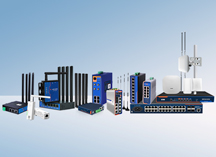
Outdoor PV inverter zones, energy storage containers, railway signal boxes — temperatures range from -40℃ to +85℃, dust is heavy, vibration is constant. Here, a rugged unmanaged industrial switch like the PUSR USR-ISG series delivers reliability through hardware: aluminum housing, fanless cooling, IP40 dustproof design, 6KV lightning protection, DIN-rail mounting, dual redundant power inputs. No firmware to misconfigure. No management port to exploit.
The core advantage of unmanaged switches is simplicity. Fewer moving parts. Fewer ways to break things.
But the blind spots are clear: you cannot see which port went down, whether traffic is congested, or what changed in the network. Every issue requires a physical visit.
Managed switches add a layer of control: configure, monitor, isolate, prioritize.
When is it time to upgrade to managed?
① Multi-site networks need central visibility
If a factory operates a main plant in one city and satellite sites in others, someone needs to know the state of each switch without driving there. Managed switches support VLAN segmentation, SNMP traps, port mirroring, and syslog — so the entire network health can be checked from one dashboard.
② Production traffic and surveillance must be separated
Many factories plug PLC data lines and CCTV cameras into the same switch. When a camera port triggers a broadcast storm, the production network goes down with it. VLANs on managed switches separate OT traffic from IT and video traffic at the port level, preventing one segment from dragging the other down.
③ Ring redundancy is required for uninterrupted operation
When a critical production link relies on a single cable, a trench dig or a cable cut brings the whole system offline. Managed switches support ERPS or RSTP ring protocols, providing millisecond-level failover to a backup path. The production line keeps running.
④ Remote troubleshooting is necessary
Engineers cannot always be on the floor. Managed switches report port error counters, link status, and traffic peaks remotely. This allows staff to determine whether a fault is a cable issue or a device issue before dispatching anyone.
The real world doesn't require all-or-nothing decisions. Many plants standardize on a hybrid approach:
Ask four questions:
Unmanaged switches solve the question of "can it connect?" Managed switches solve "can it be managed?"
Factory networks aren't better just because they're bigger or more expensive. The right choice fits the actual need.