A portable travel router released recently puts "long range" first on its spec sheet. Fold the antennas out and one unit covers a larger room. Its uplink can be backed three ways at once — the Ethernet WAN port, a nearby wireless network, and a phone's USB tether — but only one path is active at any moment while the others stay on standby. That design makes sense on the road and in temporary workspaces. Move the same idea onto a plant floor and the result often flips: metal racking, overhead cranes and variable-frequency drives consume the over-the-air segment first. Getting connected and getting data across are two different things.
Three routes are available: wireless backhaul (a repeater or a multi-hop mesh), several APs each with its own wired uplink, and placing an industrial router at the far end so traffic breaks out locally. Upfront spend, maintenance routine and failure mode differ for each.
Most locations reported as poor coverage are not short on signal. They are short on throughput for whatever has to cross the link. Before ordering anything, estimate the load at its floor: serial devices and I/O status points sit at tens of kbps on a minute-level interval; handheld terminals and scanners need roaming without dropped sessions, modest bandwidth but sensitive to latency; camera backhaul and batch program downloads run at a sustained few Mbps and cannot tolerate jitter. Three numbers written down beat watching the bar count on a handheld.
Full bars with traffic still stalling points somewhere other than transmit power. The uplink on the last hop, or the backhaul behind it, is already saturated. Fitting a higher-gain antenna at that moment buys another bar, not another megabit.
Wireless backhaul earns its place when three conditions hold at once. The location really cannot be cabled — a leased building, an open storage yard, a temporary work station. Each transfer moves little data and tolerates retransmission. Node spacing falls within measured range rather than the range printed on the box. Vendor coverage references usually come in two flavors: roughly 200 m in open outdoor space, roughly 40 m indoors with obstacles, discounted further inside a metal-dense workshop.
Hop count forms the second gate. Every extra hop contends for airtime once more, usable bandwidth falls roughly as hops accumulate, and latency adds up hop by hop. Push past two hops while carrying sustained traffic and problems surface at shift changeovers and other peaks.
Ethernet supplies determinism. Copper tops out at 100 m per segment, and within that stretch the trade buys fixed bandwidth and predictable latency. Crossing between workshops or electrical rooms calls for fiber, which also breaks any ground potential difference between the two ends. Adding it up afterward, one more length of tray and conduit usually runs cheaper than one more repeater plus one more truck roll.
Where a hall does need several APs, each deserves a dedicated cable back to the same aggregation device, with the APs bridging only and SSIDs, addressing and gateways managed in one place. An AP whose uplink rides another AP's wireless signal is already a chained backhaul: coverage looks larger while bandwidth gets split across two hops.
Locations several hundred meters out often carry nothing beyond three to five I/O points or a single serial device. Pulling a dedicated copper or fiber run to them is out of proportion. A compact cellular router mounted there and breaking out locally fits better: data never travels back to the main site, and every link along the way drops off the maintenance list. The test stays simple — once hauling that traffic home costs more than opening one SIM account on site, that point should reach the network on its own.
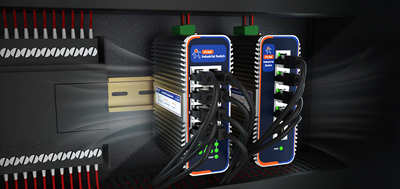
One aside worth noting. Portable units marketed on long range tend to list a plastic enclosure and -10 to 40°C somewhere in the spec table. Plant floors ask for metal housings, wide temperature and voltage ranges, DIN-rail mounting, and surge plus ESD protection. The two categories are not answering the same question.
First, measure at the worst spot: where the remote device actually mounts, on the side carrying the most metal, and record throughput and latency rather than bar count. Second, let the wireless backhaul run real traffic instead of stopping after one successful ping — copy a file and watch for loss and retransmission, or watch whether the camera picture stutters. Third, unplug the primary link once and time the recovery, confirming whether site operations retransmit or simply stall during that window. Afterwards, hand over documentation on cable routes, labels at both ends, allocated subnets and each permit rule.
The USR-G806w matches small far-end points. Metal housing at 104×102×28 mm, DIN rail or wall mounting, -20 to 70°C, redundant power through terminal block and DC jack. Two RP-SMA-K connectors accept higher-gain antennas when the layout calls for it. Wi-Fi 802.11b/g/n at 2.4 GHz, up to 300 Mbps. Wired, cellular and wireless uplinks switch freely and back each other up.
The USR-G809s matches in-site aggregation. Two WAN/LAN combo ports plus six LAN ports, with two SFP cages (one shared with a copper port), so a run across the yard can go straight onto fiber. Wi-Fi 6 dual-band 2x2 MIMO, 256 clients on paper, supporting AP, repeater and bridge modes. Wide 9–60 V DC input with reverse-polarity protection, DIN rail, plus USB and SD card for expandable storage. Its maker also offers site-to-site networking without a public IP address, removing one layer of coordination when tying a small remote station into the same system.
The USR-G816 matches locations with no broadband to pull. 5G SA/NSA, dual SIM with the second slot able to take a built-in eSIM, allowing a jump to another carrier around dead zones. One WAN port (reassignable as LAN) plus three LAN ports, all Gigabit, alongside Wi-Fi 5 dual-band and RS232/RS485 terminals for serial equipment mounted nearby. Metal housing at IP30, -35 to 75°C, DIN rail or wall mounting. Tunnels over PPTP, L2TP, IPSec, enhanced OpenVPN and GRE, with three classes of exception events pushed to email and SMS.
Where cable can be laid, Ethernet delivers determinism. Where scattered points sit beyond its reach, having an industrial router break out locally usually costs less than dragging traffic back. Multi-hop mesh stays with temporary, low-rate traffic that tolerates retransmission. None of the three replaces another; each stretch of the network gets judged on its own conditions.
1. Is mesh the same thing as a repeater?
Both carry the signal onward over wireless backhaul; the difference is whether nodes negotiate routes among themselves. On site that distinction matters little. Hop count and the airtime each hop secures decide how it performs, and beyond two hops sustained traffic is best avoided.
2. How many units can be chained over wireless backhaul?
That depends on the lowest bandwidth and latency the application tolerates. Every hop contends for airtime again. The way to judge is running an actual throughput test at the far-end node rather than reading signal strength off a terminal.
3. With Wi-Fi already covering the area, is industrial Ethernet still needed?
It depends on whether data has to move reliably between those two endpoints. Occasional polling and handheld inspection terminals can stay on the existing wireless. Continuous acquisition on a production line, video backhaul and program distribution warrant a dedicated cable or fiber run.
4. When is it right to let an industrial router break out locally?
When remote points are few, volume is low, and cabling out to them clearly costs more than opening one SIM account on site. Local breakout also takes every intermediate link off the maintenance list.
5. How should several APs divide the work?
Each AP takes its own wired uplink back to the same aggregation device and stays in bridge mode, with SSIDs, subnets and gateways managed centrally. No AP should reach the network through another AP's wireless signal.
6. Coverage falls short — change antennas or change architecture first?
Architecture. Antennas lift signal strength; they cannot undo bandwidth being divided by hops. Once the layout is settled, higher-gain antennas can be selected, and units with replaceable external antenna connectors make later adjustments possible without swapping hardware.
7. How do metal obstructions factor into an estimate?
Vendor reference figures usually arrive as open-outdoor and indoor-office numbers, and a metal-dense workshop discounts further from there. The reliable route is one throughput and latency measurement taken at the actual mounting position.
8. What should acceptance leave behind?
Cable routes and labels at both ends, allocated subnets, each permit rule, measurements from the worst position, and the recovery time recorded after the primary link was pulled. Those same records become the basis for the next expansion.