Port Mapping Settings for industrial lte router: How to Achieve Remote Access to Intranet Devices from the External Network?
In the era of intelligent manufacturing and the Industrial Internet of Things (IIoT), efficient interconnection between internal and external enterprise networks has become crucial for enhancing production efficiency and enabling remote operation and maintenance. However, due to security mechanisms such as firewalls and NAT (Network Address Translation), intranet devices often cannot directly provide services to the external network. In this context, the port mapping function of industrial lte router serves as the "golden key" to break down this barrier. It allows enterprises to forward services from specific intranet ports to designated external IP addresses and ports, thereby enabling remote access to intranet devices by external network users. This article will delve into the core principles, implementation steps, and precautions of port mapping, aiming to assist customers in resolving the intranet penetration challenge for remote access.
Port mapping, in simple terms, is a technology that redirects data traffic from an intranet service port to a designated external IP address and port. Its working principle is as follows:
Intranet Service Listening: An intranet device starts a service (such as a web server or database) on a specific port, waiting for connection requests from the intranet;
Router Forwarding: When an external network user initiates access to this service, the request first reaches the industrial router;
Port Mapping Takes Effect: The industrial router, based on preset mapping rules, forwards the external network user's request to the corresponding intranet device and service port;
Data Return: After processing the request, the intranet device sends the response data back to the external network user through the same path.
Internal and External Network Isolation: Breaking through firewall or NAT restrictions to enable direct external network access to intranet devices;
Remote Operation and Maintenance Needs: Allowing engineers to configure, monitor, and troubleshoot devices without being physically present on-site;
Service Exposure Strategy: Exposing intranet services on demand to reduce security risks and achieve fine-grained access control.
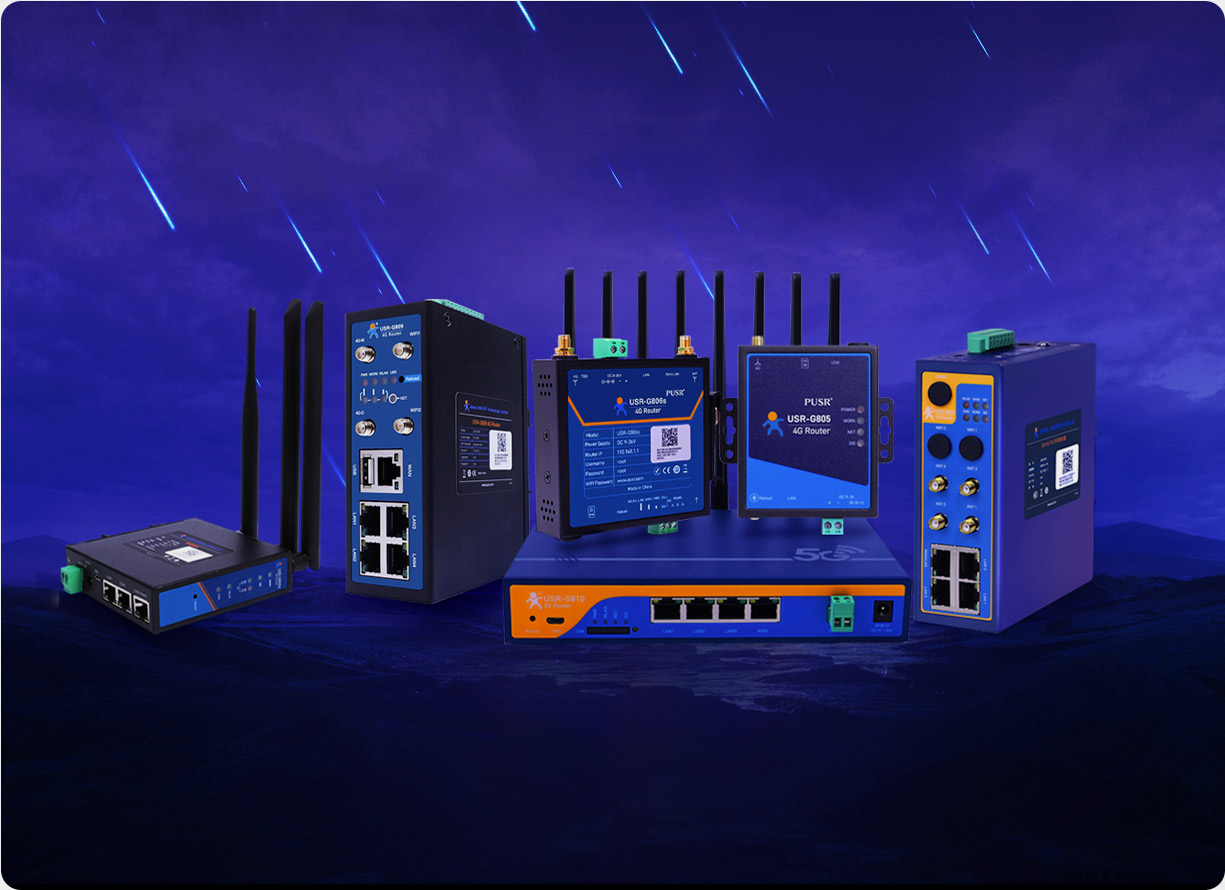
Not all industrial lte router support port mapping functionality, and their performance varies. Therefore, selecting an industrial router with powerful routing forwarding capabilities, stability, and reliability is crucial. The USR-G809s, a flagship product from PUSR, not only features four 100Mbps LAN ports, supports multiple VLAN divisions and dynamic routing protocols, but also incorporates flexible port mapping functionality to meet the remote access needs of most industrial scenarios.
Taking the USR-G809s as an example, the configuration of port mapping typically involves the following steps:
Step 1: Log in to the Management Interface
Enter the default IP address of the industrial router (e.g., 192.168.1.1) in a browser and log in to the URS Cloud Platform or local web interface using administrator credentials.
Step 2: Add Mapping Entries
Select Mapping Type: Choose between "Static Mapping" or "Dynamic Mapping" (applicable when the public IP address changes dynamically) based on your needs;
Set Intranet Information: Fill in the IP address and port number of the intranet device;
Specify External Network Information: Enter the desired external network IP address (if using a dynamic domain name, additional DNS resolution configuration is required) and port number;
Apply Rules: Save and apply the configuration after confirmation.
Step 3: Test and Verify
Attempt to access the mapped external network IP and port from an external network environment to ensure normal connection to the intranet device. If access fails, check the following points:
Whether the intranet device service is running normally;
Whether the router firewall settings are blocking the relevant ports;
Whether the external network IP is correctly bound and free of conflicts.
After completing the basic configuration, it is essential to strengthen security and efficiency from the following aspects:
Access Control List (ACL): Allow access to mapped services only from specific IP segments or countries to prevent unauthorized access;
Encrypted Transmission: Use encryption protocols such as SSL/TLS to encapsulate sensitive data transmissions;
Log Auditing: Enable access log recording functionality and regularly review abnormal access behaviors.
A smart factory houses numerous critical devices such as PLCs and SCADA systems distributed on the intranet. Traditional operation and maintenance methods require engineers to operate on-site, resulting in low efficiency and high costs. Additionally, due to internal and external network isolation policies, these devices cannot directly provide remote services to the external network.
Deploy USR-G809s Industrial Router: Install the USR-G809s at the factory exit, connecting the external network and intranet switch;
Configure Port Mapping:
Map the Modbus TCP service (default port 502) of the intranet PLC to a designated port on a fixed external network IP address;
Set up external network access permissions for the web management interface (port 8080) of the SCADA system (running on an intranet server);
Security Policy: Allow access to mapped ports only through VPN tunnels from specific operation and maintenance personnel's office computers to ensure data security.
Improved Remote Operation and Maintenance Efficiency: Engineers can quickly diagnose and resolve device faults without being on-site, reducing the average response time by 30%;
Cost Savings: Reduced travel expenses and losses from equipment downtime, with an estimated annual cost savings exceeding 200,000 yuan;
Operation and Maintenance Visualization: Real-time monitoring and analysis of the production process through the SCADA system's web interface.
Click the submit button, and our technical experts will customize the following based on your specific needs (device type, network environment, security requirements):
Detailed port mapping configuration guide;
USR-G809s selection advice and budget assessment;
Remote access security and efficiency optimization suggestions.
Apply for a trial opportunity for the USR-G809s and enjoy:
Full functionality experience of the URS Cloud Platform;
7×12-hour technical support;
Feedback on trial reports and optimization suggestions.
Join the URS IoT Ecosystem Alliance and share:
The latest industrial control security technology resources;
A success case library and learning community;
Joint solution development and cooperation opportunities.
In the wave of Industry 4.0, external network remote access has become an essential skill for improving equipment utilization and accelerating fault response. Through port mapping settings on industrial lte routers, enterprises can easily break down the barrier between internal and external networks, achieving efficient and secure remote operation and maintenance.