Some projects start out simple: a device speaks only RS232/RS485, while the host software runs on another PC across the LAN. A system administrator once described a very typical requirement in an IT community: the PC runs Windows, the application cannot be changed, and the goal was to use "software" to map serial data over Ethernet into a virtual COM port, so the device would behave as if it were plugged into the machine. That leads to the question this article answers: what role does a Serial to Ethernet Converter play compared with Virtual COM software — and when is hardware alone enough, versus a hardware-plus-software combination?
Serial to Ethernet Converter is a standalone hardware unit deployed next to the equipment. It packages RS232/RS485 signals into TCP/IP packets and puts them onto the network. Whether the device becomes accessible "over the network" depends on it.
Virtual COM software runs on the Windows PC and touches no wiring. After installation the PC gains a COM5; applications open COM5 and exchange data as usual. Data travels over the LAN to the converter at the site, where it is converted back into serial signals for the device. Legacy software never notices the network exists.
The division fits in one sentence: hardware gets the device onto the network; software lets older PC applications keep working through COM ports. The two live on different layers, and in most cases it is not an either/or choice.
What the engineer wanted was "software on Windows only." Look first at the device side: the equipment has no Ethernet port, only serial. Between serial signals and Ethernet data there must be a physical conversion, and only hardware can perform it. Software can only map to a serial server that is already on the network; a device still attached by a serial cable at the site is out of reach across the network.
So the conclusion splits in two: when the device has no Ethernet port, a Serial to Ethernet Converter at the site is the prerequisite, and software is an optional extra on the PC side. Only when the device itself already supports direct TCP connections can the hardware be skipped.
One qualifier in this example is worth noting: "Windows only." The reason is straightforward — this type of Virtual COM software is mostly Windows-based. In offices that mix in Linux, or when a deployment must span platforms, the software route is usually ruled out first, and the solution falls back to pure TCP or a Modbus gateway.
When the host software already supports network connections — it can take an IP address and port, speak Modbus TCP, or report to a server over HTTP/MQTT — nothing needs to be installed on the PC. The converter runs in TCP Server mode and the software connects to it as a client.
The practical benefit is one less dependency. Virtual COM software is a resident process: it needs auto-start on boot, firewall allowances, and driver compatibility after system updates. A pure TCP setup has none of these, and rebooting the PC or switching machines does not affect the device side.
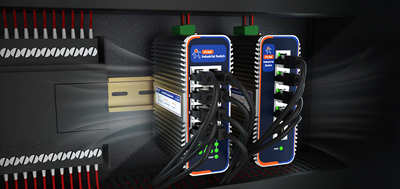
The device side usually carries its own protections. Industrial models such as the USR-TCP232-410s come in a metal housing with wall mounting, wide-range DC input, dual hardware and software watchdog, and an operating temperature of -40°C to +85°C. Powered continuously inside a cabinet, their running state depends on no single PC. Debugging is straightforward too: connect a socket tool on the PC directly to the converter's IP and port, and the pass/fail shows immediately.
The deciding factor sits on the PC side: the existing application only opens COM ports, cannot be changed, is no longer updated by its vendor, or the team does not want to touch production software for a networking retrofit. To keep the application as is and move the "serial port" from local to network, two pieces are required:
The host application is not modified at all — it opens the COM port and works as before. In Modbus setups there is an even simpler path: when the host system talks Modbus TCP (common with PLCs and SCADA), the converter's Modbus gateway performs RTU-to-TCP conversion and supports multiple hosts polling the device at the same time, so the PC may not need Virtual COM software at all.
Two references map directly onto the situations most often seen.
One device to connect, serial interface not yet confirmed (RS232 or RS485): choose a dual-interface model. The USR-TCP232-410s carries one RS232 and one RS485 port that work simultaneously, with baud rates from 600 bps to 230.4 Kbps and both hardware and software flow control. The interface flexibility leaves margin at the site — no need to bet on whether the equipment is 232 or 485. It is certified to CE, FCC, RoHS, WEEE and RCM, which removes one more check for export projects.
Several RS485 devices in one area to bring online together — a row of meters, multiple collection points inside one cabinet: choose a multi-port model so one unit covers several devices. The USR-N540 provides four RS485 ports, DC 5-36V wide-range input, a metal enclosure, and support for TCP/UDP/HTTPD plus a Modbus gateway. Power, data collection and maintenance are concentrated in one unit, and fewer switch ports are consumed. When devices are more numerous and more scattered, single-port units deployed close to each device remain the fallback.
Back to the opening question: hardware or software? The order of judgment is only two steps — if the device only has a serial interface, choose the hardware first; if the PC application only accepts COM ports, add the software. A Serial to Ethernet Converter gets the device onto the network, Virtual COM software keeps the old application working, and the two working together, each doing its own job, form a complete serial-over-Ethernet solution.