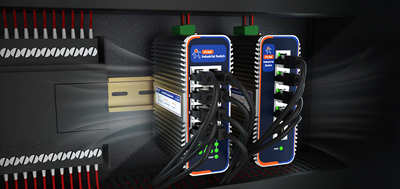
Serial to ethernet converter takes RS-232 or RS-485 devices — meters, PLCs, card readers — onto a TCP/IP network so they can be read remotely over Ethernet or the Internet. The first configuration question after unboxing one is almost always:TCP Server or TCP Client?
Both modes differ in one thing:who initiates the connection.
In TCP Server mode, the converter picks a port (commonly 10001) and keeps listening. A host computer or cloud platform can connect at any time — the effect is as if an Ethernet cable were plugged directly beside the serial port.
This setup fits the scenario where one instrument is shared by multiple people or systems. One practical example: an RS-485 Modbus power meter connected to a converter, the converter set to TCP Server on port 10001. A data acquisition PC in the switchroom connects to read values, while a server in the office connects at the same time to pull the meter — a single device, up to 16 clients attached concurrently.
Dual-port models like 410s carry one RS-232 port and one RS-485 port that operate simultaneously. Each instrument works independently, and the TCP Server end exposes separate ports for each port.
In TCP Client mode, the converter initiates a connection to a remote IP and port. Once connected, serial data flows in that direction — like a one-way conveyor belt.
This mode suits situations where the host sits behind a firewall and refuses inbound connections. An industrial PC with a strict security policy might block all incoming traffic. The converter must establish the connection first, and data can pass.
Single-port RS-485 models like 304 include TCP Client among their supported modes. Set the converter to Client, enter the host's public IP or domain and port, and data starts flowing once the link is established — the remote side needs no inbound rule.
Before choosing, ask a single question:who controls the initial connection?
The two roles are mutually exclusive. A device can only run one mode at a time.
Whether Server or Client, the serial-side settings — baud rate, data bits, parity, stop bits — still need to be entered on the converter itself. The device moves bytes across a network; it does not parse protocol content.
A practical note on configuration tools: 410s offers three paths — a built-in web interface, a desktop configuration tool, and serial AT commands. 304 supports web interface and AT commands. Each path leads to the same parameter screen. If factory defaults are forgotten, holding the reload button resets everything.
Both models feature a metal enclosure, wide operating temperature, hardware and software dual watchdogs, and high EMC protection — built for industrial environments where uptime matters.
Both models support both TCP Server and TCP Client. When choosing a serial to ethernet converter, determine which side controls the connection first, then select the matching role.
1. Can one device run Server and Client at the same time?
No. The two roles are mutually exclusive; only one mode is active at a time.
2. What does "up to 16 clients" on a TCP Server mean?
It means the maximum number of client devices allowed to connect simultaneously. Any excess connections are rejected.
3. Does Client mode require the remote side to open a port?
No. In Client mode the converter initiates the connection. The remote side simply listens on a port and receives data.
4. Do Server and Client modes differ in network security?
Client mode has an advantage in firewall-heavy environments because no inbound port is required. Server mode needs protection against random port scans. Both models support SSL encryption (410s supports SSL two-way certificate authentication for TCP Client, HTTP, and MQTT).
5. Does choosing Server or Client affect serial parameter settings?
No. Baud rate, data bits, parity, and stop bits are independent of the network mode. Configure according to the device manual.
6. Is it easy to switch from Server to Client after initial setup?
Yes. Both 410s and 304 support switching via web interface, AT commands, or the configuration tool.
7. Can both modes act as a Modbus gateway?
Yes. Both 410s and 304 support Modbus RTU to Modbus TCP conversion with multi-host polling, regardless of the network mode.
8. Which mode should be preferred for remote monitoring?
When many remote endpoints span different subnets, Server is usually the better choice. When only one host is involved and it blocks inbound connections, Client is preferred.