● Availability is the reason to buy an industrial router, not throughput. The design target is a link that stays up unattended for years.
● Typical specifications are -40 °C to 75 °C operating range, wide-range DC input (commonly 9-36 V or 9-60 V) with reverse-polarity protection, fanless conduction cooling and DIN-rail mounting.
● Most unplanned site visits are not caused by hardware failure. Voltage dips when motors start, summer heat inside sealed cabinets, antennas left inside metal enclosures and SIM contact problems account for the majority.
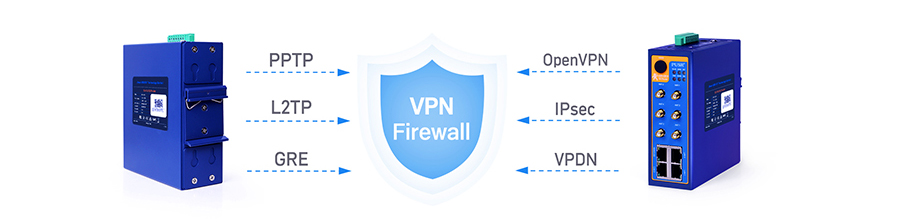
● Security depends on implementation, not on protocol lists. PPTP and L2TP without IPsec are no longer considered safe; IPsec or OpenVPN with certificate authentication is the standard choice.
● Lifecycle cost is dominated by truck rolls, not unit price. One avoided site visit usually exceeds the price gap between a consumer and an industrial router.
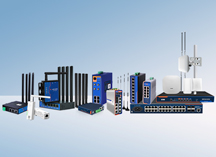
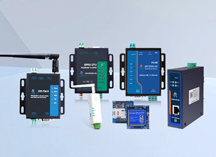
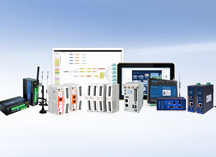
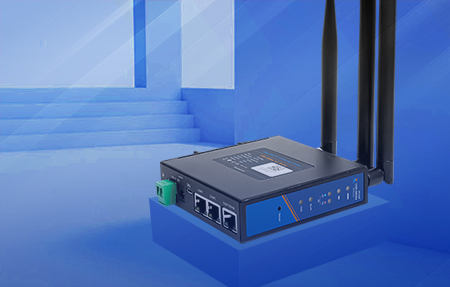
Industrial router can work in harsh environments, which are generally used in high-end markets or outdoor engineering. Industrial router with many advantages can achieve high-speed and stable networking of industrial equipment. In general, industrial routers have the following advantages in use.
|
Dimension |
Consumer router |
Commercial / office router |
Industrial router |
Why it matters on site |
|
Designed environment |
Home, 0 to 40 °C |
Office rack, 0 to 40 °C |
Control cabinet or outdoor enclosure, -40 to 75 °C typical |
Cabinet interiors exceed 50 °C in summer even when the ambient reading looks fine |
|
Enclosure and mounting |
Plastic, desktop |
Metal, 19-inch rack |
Aluminium alloy, DIN rail or wall mount, usually IP30 or higher |
Vibration loosens anything held by adhesive feet or shelf friction |
|
Power input |
AC adapter, fixed voltage |
AC with internal PSU or PoE |
Wide-range DC terminal, commonly 9-36 V or 9-60 V, reverse-polarity protection |
Supply voltage dips when motors or compressors start; the router must ride through it |
|
Uplink redundancy |
Single WAN |
Dual WAN |
Dual SIM with health checks, wired plus cellular failover |
A single carrier outage should not mean a service call |
|
Recovery after a fault |
Manual reboot |
Scheduled reboot |
Hardware watchdog plus software watchdog plus modem-level reset |
Unattended sites cannot wait for somebody to cycle the power |
|
EMC protection |
Basic |
Moderate |
Tested per IEC 61000-4-2 (ESD), -4-4 (EFT) and -4-5 (surge), commonly level 3 |
Contactors and variable frequency drives are the routers' nearest neighbours |
|
IoT interfaces |
Ethernet and Wi-Fi |
Ethernet |
RS232/RS485, DI/DO, SFP ports, serial-to-Ethernet, Modbus gateway |
Older PLCs, meters and sensors still speak serial |
|
Security |
Basic NAT firewall |
Site-to-site IPsec |
IPsec, OpenVPN, GRE plus firewall zones, role separation and MQTT over TLS |
Industrial security standards such as ISA/IEC 62443 expect segmentation and access control, not just NAT |
|
Management scale |
One device, web UI |
Tens of devices, controller |
Hundreds to thousands, cloud platform with remote configuration, restart and firmware update |
Fleet-wide firmware updates decide whether a fix takes an hour or a quarter |
|
Product lifecycle |
1 to 3 years, model churn |
3 to 5 years |
5 to 10 years supply plus maintained firmware |
Re-certifying a different model mid-project costs more than the hardware |

A stable link in an industrial setting means the connection survives events that happen every day on site, not that the hardware is rugged. Four mechanisms do the work:
Uplink failover:
Two SIM slots let the router move to a second carrier when the first one drops. Failover is triggered by link reachability, usually an ICMP probe or a DNS resolution check, not by signal bars, so a weak but working link stays in use and poor signal is tracked as a separate alarm condition.
Layered watchdogs:
A software watchdog covers a frozen application, a hardware watchdog on the board covers an unresponsive kernel, and modem-level recovery resets the cellular module when it fails to register. Without all three, some failures still need a hand on the power plug.
Scheduled health checks and reconnect policies.
A retry back-off prevents a thousand needless reconnection attempts from being logged when a tower goes down.
Remote visibility:
Device status, signal readings and restart logs reachable from a management platform turn "it was down yesterday" into a timestamped event. A practical way to judge this claim on any model: leave a ping running to the router for 30 days and count reconnections. Reconnect clusters are informative, since ones appearing at shift start usually point at supply voltage, not at the router.
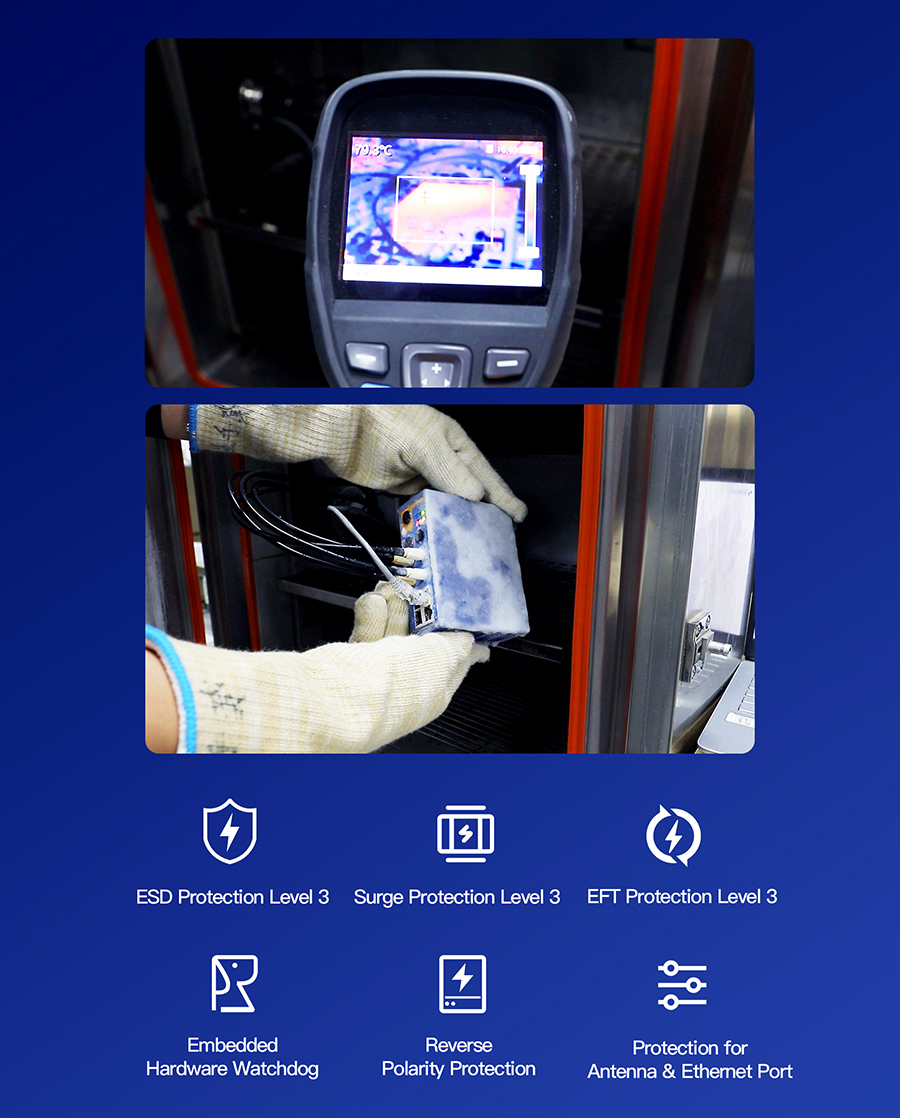
The number attached to a specification sheet is less useful than the two things that decide real lifespan: heat and power quality.
Thermal design:
Fanless aluminium housings move processor heat into the chassis and then into the mounting rail or cabinet panel. There is no fan to fail and no intake to clog with dust.
Component grade:
Industrial-grade parts are specified across the full temperature range; consumer designs are usually specified only at room temperature.
Supply quality:
Wide-range DC input with reverse-polarity and overcurrent protection absorbs the dips and spikes that damage ordinary adapters. A usable rule of thumb during commissioning: leave more than 20 degrees Celsius of margin below the stated upper temperature limit. Measure the air temperature inside the cabinet at the hottest hour of a summer afternoon, since that is the number the device lives in, not the reading on the room thermostat. Following this single practice tends to matter more for service life than chip choices
Protocol support only helps when the protocols are implemented well, so the protocol list on a datasheet deserves a second look.
IPsec and OpenVPN:
carry current industrial remote access traffic. Certificate-based authentication should be preferred over shared passwords, since one leaked password otherwise opens every site.
PPTP and L2TP without IPsec:
Belong only inside a legacy tunnel that already encrypts at another layer. They are often listed for compatibility, not as a recommendation.
GRE:
Serves routing and tunnelling needs inside a controlled network and carries no encryption of its own.
Firewall design matters more than the VPN count:
Zone separation between the device network and the uplink, a deny-by-default policy, and rules written per destination or per source give tighter control than a single allow-all rule.
MQTT over TLS:
MQTT over TLS is the common route for telemetry, with device credentials issued per unit rather than shared across a fleet. For networks governed by security frameworks such as ISA/IEC 62443, segmentation and per-device credentials are among the first things an auditor asks about. In the European Union, radio equipment cybersecurity is also part of the essential requirements of the Radio Equipment Directive 2014/53/EU, with the EN 18031 series used as the harmonised route to demonstrate conformity, so existing and pending certificates are worth confirming during selection
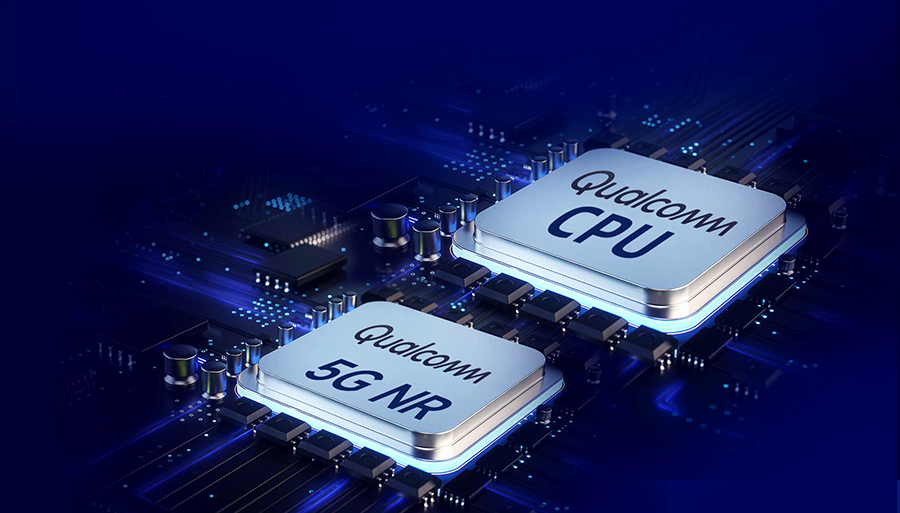
The number that actually matters is throughput with encryption enabled, not the link rate printed on the package. Encrypting every packet costs processing effort, and the gap between the two figures widens the weaker the processor is. Three counts are worth comparing before purchase:
Encrypted throughput:
Across the VPN tunnel, in Mbps.
Concurrent NAT sessions:
Which decide how many connected devices and sockets can be served at once.
Concurrent clients:
Ranging from around 20 wireless clients on entry-level mobile routers to several hundred on aggregation models with Wi-Fi 6. Bandwidth planning belongs in the same conversation. A 1080p H.265 stream at 2 Mbps, uploaded continuously, adds up to about 21 GB per day or roughly 600 GB per month (bitrate in Mbps x seconds / 8 / 1024 = GB). Recording belongs on a local NVR with only alarm clips crossing the cellular link; a continuous cloud upload of every main stream reaches the bottom of the data allowance quickly
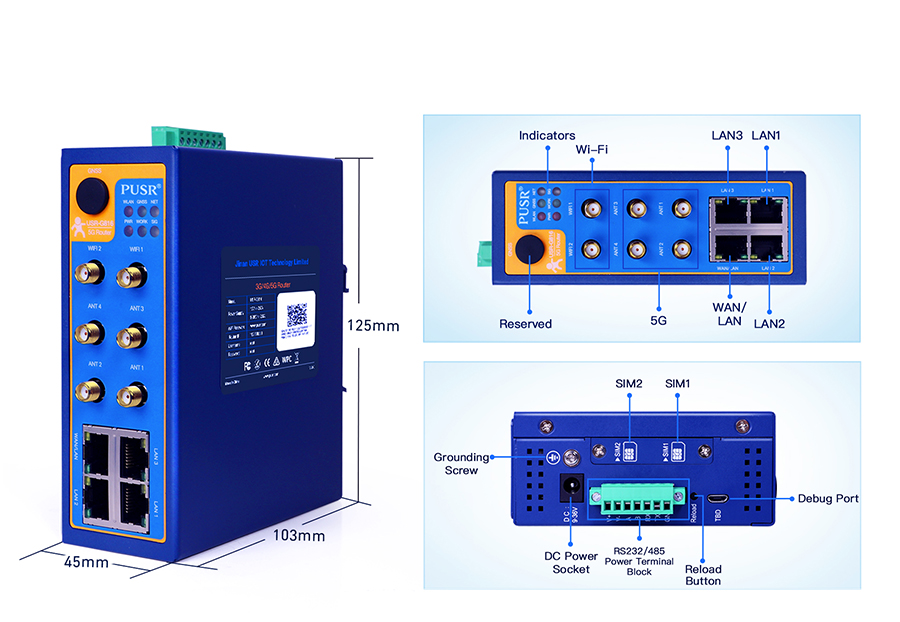
Interfaces decide what can be reached without adding another box to the cabinet.
RS232 and RS485:
Reach PLCs, power meters, temperature controllers and legacy instruments. Typical baud rates cover 1200 to 230400 bps, sometimes up to 460800 bps, and the port parameters must match the connected device exactly.
Serial-to-Ethernet modes:
Cover TCP server, TCP client, UDP and HTTP client, which covers both cases where a central system dials in and cases where the field device initiates the connection.
Modbus gateway functions:
Let Modbus RTU devices answer queries addressed as Modbus TCP. Worth noting: the router converts transport media and framing, it does not interpret protocol semantics, so addressing registers remain defined by the device manual.
DI/DO:
Lines report cabinet door contacts or alarm relays and can trigger simple actions without another controller.
SFP fibre ports:
Cover runs longer than 100 metres or spans crossing high-interference areas such as a welding shop.
Gigabit Ethernet and Wi-Fi 6:
Handle the local device population, while dual SIM slots carry the uplink
Six recurring causes Most field visits attributed to a router turn out to be site conditions reaching the router. The table below lists the six cases seen most often, along with the check that confirms each one.
|
Symptom |
Usual cause |
How to confirm |
Fix that holds |
|
Reboots whenever a large motor or compressor starts |
Supply voltage dips below the minimum during inrush |
Log the cabinet DC supply across a motor start |
Separate supply or wider input range; check cable gauge and terminal torque |
|
Restarts around midday in summer, normal overnight |
Cabinet internal temperature above the rated maximum |
Log temperature inside the cabinet at the hottest hour |
Keep more than 20 degrees Celsius of margin below the stated limit, move the router away from heat sources, ventilate the cabinet |
|
Link is established but no traffic passes |
Wrong APN, or the carrier assigns a private address |
Compare the PDP context and APN against carrier documentation |
Set the APN explicitly; request a private APN or static address when remote inbound access is needed |
|
RSRP readings below about -100 dBm |
Antenna left inside a metal enclosure |
Read RSRP and SINR on the router status page |
Route an extension antenna outside the cabinet, keep the feed cable short, use matched 50-ohm connectors |
|
Offline after months of stable operation |
SIM card oxidation or contact loss under vibration |
Reseat the SIM, swap in a second card and compare |
Use an industrial-grade SIM or a soldered eSIM option where available; secure all cabling |
|
Random hangs that clear after a power cycle |
Modem-level failure not covered by software watchdogs |
Check restart logs for modem registration failures |
Enable hardware and modem-level watchdogs; keep scheduled restarts as a last resort |
|
Item |
What to check |
Pass criterion |
|
Upper temperature margin |
Rated maximum versus measured cabinet temperature |
More than 20 degrees Celsius of margin |
|
Power input range |
Minimum and maximum volts, reverse-polarity protection |
Covers the measured supply swing during motor starts |
|
Uplink redundancy |
Number of SIM slots, failover trigger |
Failover based on reachability, not signal bars |
|
Watchdog coverage |
Software, hardware and modem levels |
All three available and configurable |
|
Encrypted throughput |
Throughput inside the VPN tunnel |
Meets uplinked data volume without a bottleneck |
|
Concurrent sessions and clients |
NAT sessions, wireless clients |
Exceeds the expected device count with headroom |
|
Serial interfaces |
RS232/RS485 count, baud range, operating modes |
Matches the devices being connected |
|
Security implementation |
Certificate support, firewall zones, MQTT over TLS |
Certificate authentication available; deny-by-default rules supported |
|
EMC test levels |
IEC 61000-4-2, -4-4, -4-5 levels and applicable certificates |
Third-party test reports available, not just a claim |
|
Lifecycle and firmware |
Guaranteed supply period and update policy |
Firmware updates published; supply matched to the project horizon |
|
Scenario |
What the router has to do |
Requirement that decides the model |
|
Remote pump and water stations |
Report level and flow, accept remote commands |
Serial interface, watchdogs, unattended restart |
|
Solar and wind inverter monitoring |
Push inverter data over cellular with no wired line nearby |
Wide temperature range, dual SIM, tun-nelled telemetry |
|
Factory PLC remote maintenance |
Give an engineer secure temporary access without exposing the shopfloor network |
Certificate VPN, deny-by-default firewall, audit logging |
|
Vending machines and payment kiosks |
Keep payment links alive and report faults |
Cellular failover, event logging, compact DIN-rail housing |
|
AGV, AMR and mobile robots |
Maintain links across coverage handovers while moving |
Fast reconnection, wide input range, optional positioning |
|
Buses and logistics fleets |
Carry Wi-Fi clients, location and camera traffic together |
Dual SIM, gigabit Ethernet, high client count |
|
Model |
Fits best |
Key specifications |
|
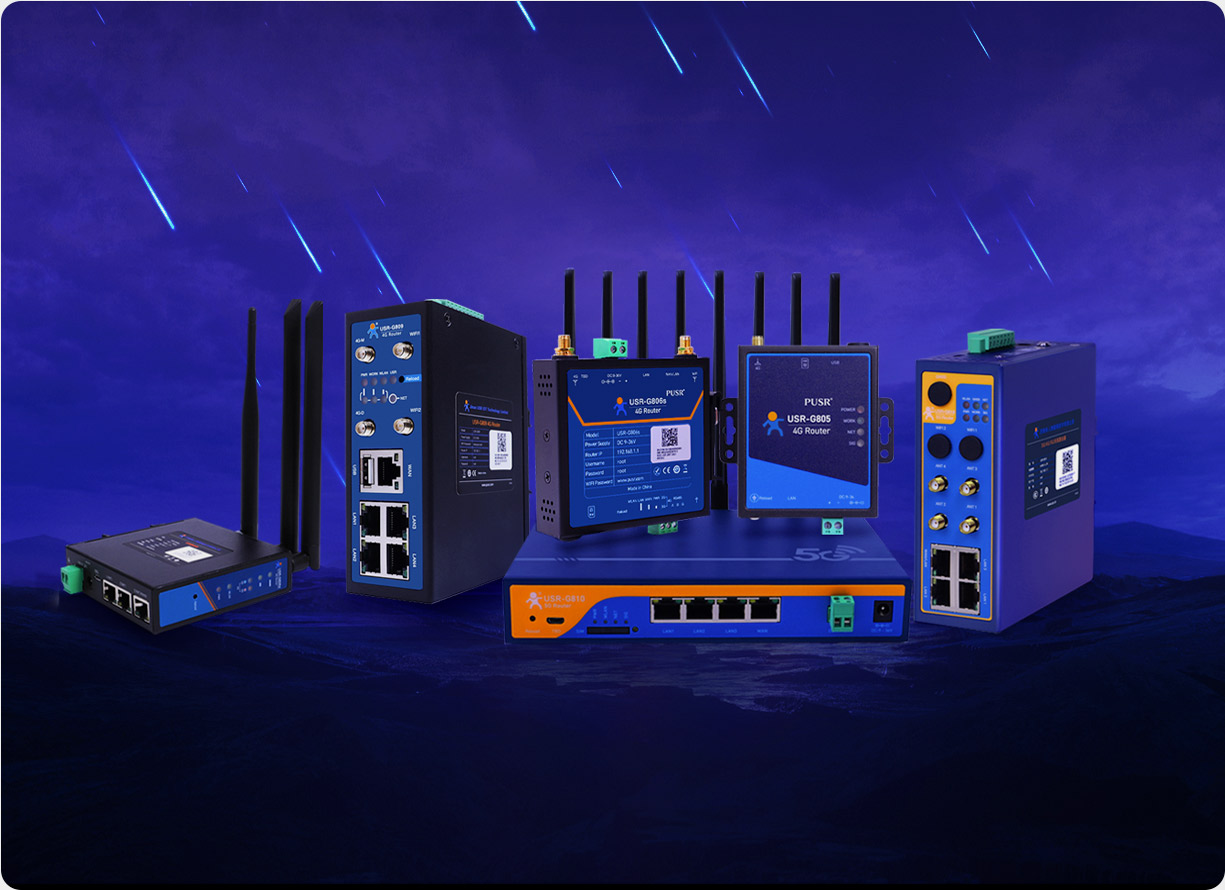
USR-G806w |
Cost-sensitive 4G sites needing routing, firewall and basic Wi-Fi |
One WAN port configurable as LAN plus two LAN ports at 10/100 Mbps, Wi-Fi 2.4 GHz up to 300 Mbps, single Mini SIM (2FF), DC 9-36 V with reverse-polarity protection, -20 to 75 °C reference range depending on the published version, 104 x 102 x 28 mm |
|
USR-G816 |
Mobile sites, outdoor cabinets and anywhere an uplink failure is expensive |
5G SA and NSA on a Qualcomm platform, dual SIM with optional embedded eSIM, one gigabit WAN plus three LAN ports, RS232/RS485, optional positioning module, DC 9-36 V with reverse-polarity protection, metal housing |
|
USR-G809s |
Aggregation points with many devices and several uplink paths |
Gigabit Ethernet ports including SFP, Wi-Fi 6 with high client counts, dual nano SIM, RS232 plus RS485, DI and DO, DC 9-60 V, DIN-rail mounting |
What is the difference between an industrial router and a normal router?
A consumer router is built for temperature-controlled indoor space, fixed-voltage AC adapters and occasional reboots. An industrial router is built for control cabinets and outdoor enclosures: wide operating temperature (commonly -40 to 75 °C), wide-range DC input with reverse-polarity protection, DIN-rail mounting, dual SIM failover, hardware and software watchdogs, EMC testing per IEC 61000-4-2, -4-4 and -4-5, and serial interfaces such as RS232/RS485 for industrial equipment.
What temperature range can an industrial router handle?
Entry models are commonly rated from about -20 °C, while mid-range and outdoor models are rated to 75 °C. The figure that matters is the temperature inside the cabinet where the router is mounted, which exceeds ambient readings considerably in summer. Keeping more than 20 degrees Celsius of margin below the stated upper limit is the practice that most reliably extends service life.
How long does an industrial router last?
Five to ten years is a realistic expectation when heat and supply voltage are managed, against one to three years for consumer hardware in the same cabinet. The deciding factors are thermal design, component temperature ratings and supply quality rather than any theoretical reliability figure.
Why do many industrial routers have two SIM cards?
Dual SIM exists so that one carrier outage does not end connectivity. Failover is triggered by link reachability checks such as an ICMP probe or DNS lookup, not by signal bars, so a weak but working link stays in use while a genuinely unreachable one is replaced automatically.
Can an industrial router work without a wired internet connection?
Yes. With a SIM card inserted and the APN set for the carrier, cellular becomes the primary uplink and the router's Ethernet ports serve local devices. Sites that do have wired internet often keep cellular configured as backup, with automatic failover between the two.
Which VPN protocol should industrial remote access use?
IPsec or OpenVPN with certificate authentication is the standard choice. PPTP and L2TP without IPsec remain in many datasheets for legacy compatibility and carry weak encryption, so they should stay inside a tunnel that already encrypts at another layer or be avoided. GRE transports traffic without encryption of its own.
How much mobile data does remote equipment typically use?
Multiplying bitrate by seconds and dividing by 8 and 1024 gives gigabytes: bitrate (Mbps) x seconds / 8 / 1024 = GB. A 1080p H.265 stream at 2 Mbps running continuously reaches about 21 GB per day, or roughly 600 GB per month. Telemetry such as meter readings is far smaller, which is why video stays on a local recorder and only alarm clips cross the cellular link.
What causes most industrial router disconnections?
Site conditions rather than hardware: supply voltage dips when motors start, high cabinet temperature in summer, antennas enclosed in metal cabinets with poor signal readings, incorrect APN settings, and SIM contact loss under vibration. Confirming each against the router's restart logs and signal readings usually identifies the cause without replacing the device.
Is 5G worth choosing over 4G for industrial sites?
4G LTE still covers the majority of telemetry work and carries a lower module and data cost. 5G earns its place with high-bandwidth video, autonomous mobile robots and low-latency control, or when a long project horizon makes the newer standard the safer bet for the next decade. Coverage of the specific site by the intended bands matters more than the generation label.