Using an Industrial Panel PC on an AGV: 90% of People Get the First Step Wrong
Last summer, a friend who builds AGVs for e-commerce warehouses came to me. His voice was drained.
He said: "It's over. All 30 AGVs are down."
It wasn't the algorithm. It wasn't the motors. It was the screen.
When he was selecting components back then, he figured—industrial panel PC, right? As long as it displays, it's fine. He found the cheapest one he could: 10-inch resistive touchscreen, IP54 rating. The specs looked good. The result?
The first batch of 10 units arrived at the warehouse. Within three days, 7 of them had touch failures. The screen wasn't broken—the warehouse had water mist, and resistive screens drift the moment they get damp. Operators wearing gloves couldn't hit anything accurately. They were cursing.
The second batch of 20 units got a bigger screen—15 inches. Only after mounting them on the AGVs did they realize: the AGV's top mounting space is tiny. The 15-inch screen stuck out, and in narrow aisles, it smashed into the shelving. Out of 30 AGVs, 11 had their screen brackets destroyed.
Rework. Everything had to be reworked.
Just for the screens alone, they burned through an extra 180,000 RMB. The project was delayed by three weeks. The client almost terminated the contract.
He later said something to me that I've never forgotten: "I thought picking a screen was just picking a monitor. I never imagined that picking the wrong screen could destroy an entire vehicle."
If you're currently picking an industrial panel PC for your AGV, I bet you're in this exact state—
You open Taobao or 1688, search "AGV industrial panel PC," and get hundreds of results. The specs all look similar: 10-inch, 15-inch, capacitive screen, IP65… Prices range from 800 to 8,000 RMB.
You start comparing prices. Then you compare specs. Then you start second-guessing yourself.
Then you just pick one that "looks good enough," place the order, wait for delivery, mount it on the AGV, and then—
Problems hit.
Touch is unresponsive. Not enough interfaces. Won't fit on the vehicle. Vibration causes screen flicker. Summer heat causes crashes. Winter cold causes black screens.
You think it's a small issue. But on an AGV, the screen is the only dialogue window between the human and the machine. When that window breaks, the whole vehicle becomes blind, deaf, and mute.
So today's article—I'm not going to talk concepts or paint rosy pictures. I'm going to pretend you're sitting across from me, we're having tea, and I'm going to walk you through every pitfall I've stepped in and every accident I've seen, one by one.
There are 5 traps you will definitely fall into when selecting an AGV industrial panel PC. Let me help you dodge them in advance.
Do you think bigger screens are better? The operator can see more clearly, more interface info fits on screen—how great.
Wrong.
An AGV is not a workstation. The top mounting space on an AGV is extremely limited. Most AGVs have a top mounting area of only 200mm×200mm to 300mm×300mm. You cram a 15-inch screen up there, it sticks out, and it slams into shelving in narrow aisles and gets stuck on door frames when turning.
Even worse: the bigger the screen, the higher the power draw, the more heat it generates. AGVs run on batteries. One big screen can slash your range by 15–20%.
The truth: for AGV screens, it's not "bigger is better"—it's "just right is best."
10.1 inches to 12.1 inches is the sweet spot for AGVs. Big enough for the operator to read commands and see key info, small enough not to eat into precious mounting space.
The smartest approach I've ever seen: use a 10.1-inch screen, but design the interface as a "three-level fold"—the home screen shows only the 3 most critical pieces of info (task status, battery level, fault code), and you tap to expand for details. Information density stays the same, screen size doesn't grow.
Selection Rule 1: Measure your AGV's top mounting area first, then pick the screen size. Don't pick the screen first and then redesign the AGV.
This is the most common trap. No contest.
Industrial touch screens come in two types: resistive and capacitive. Resistive is cheap. Capacitive costs a bit more. A lot of people see the budget and pick resistive.
Then the disaster begins.
Resistive screens work by pressure sensing—you have to press hard to get a response. The problems:
First, warehouse operators wear gloves. Resistive screens are extremely unfriendly to gloves. They're basically useless.
Second, resistive screens don't support multi-touch. You want to pinch-to-zoom on a map? Impossible.
Third, resistive screens have low accuracy. The buttons on an AGV's HMI are already tiny. A resistive screen drifts when you tap—the operator hits "start" and accidentally hits "emergency stop." Scary, right?
Capacitive screens are different. Same principle as your phone. Works with wet hands, works with gloves, supports multi-touch, high precision. Measured data from a touch all-in-one solution: warehouse operator task response speed improved by 60%, system switch error rate dropped to near zero.
Selection Rule 2: AGVs must use projected capacitive screens. Resistive screens in a warehouse are garbage. Don't save that money.
Do you think IP65 is enough?
Enough my ass.
IP65 means dustproof and protected against low-pressure water jets. Sounds fine. But what environment does your AGV actually run in?
Cold storage has frost. Ambient warehouses have water mist. Outdoor rain has rainwater. The floor kicks up dust. Forklifts stir up grime.
IP65 protects against water jets. It doesn't protect against frost. It protects against dust. It doesn't protect against circuit corrosion in long-term humid environments.
The worst case I've ever seen: a batch of AGVs ran in a cold-chain warehouse for three months. The screen bezels were covered in mold. Not dirt—moisture had seeped through the gaps, and the circuit boards grew green fur.
The truth: AGV industrial panel PC protection isn't just about IP rating. You need to check three things:
One: Is the front panel truly sealed?Many screens claim IP65, but there's a gap between the front panel and the bezel. Moisture gets in anyway.
Two: Does it support wide-temperature operation?Cold storage at -20°C to ambient at 40°C—that's a 60°C swing. Ordinary screens may black out at -10°C. You need -20°C to 60°C or wider.
Three: Is it fanless?Fans are dust intake channels. An AGV running in a dusty environment with a fan-cooled screen will need cleaning in three months and replacement in six.
Selection Rule 3: IP65 is the floor, not the ceiling. Fully sealed front panel + wide-temp fanless design is the real baseline for AGVs.
This trap is the most hidden, and the most deadly.
When you pick a screen, you check the interfaces: 1 CAN, 2 RS485, 1 Ethernet port. Looks like plenty. You mount it on the AGV and then realize—
CAN needs to connect to the AGV's motor driver. RS485 needs to connect to the LiDAR. Ethernet needs to connect to the dispatch server. And you need one IO port for the emergency stop button.
That's it. All gone.
But you still have a barcode scanner to connect. A temperature/humidity sensor. A camera.
Interfaces aren't enough. You start using a USB hub to expand. Then the USB hub is unstable. Then data packets get lost. Then the AGV spins in circles in the warehouse.
The truth: on an AGV, industrial panel PC interfaces aren't "enough is fine"—they're "better to have redundancy than to run short."
You need at minimum: 2 CAN channels (one for the driver, one for dispatch), 2 RS485 channels (one for LiDAR, one for sensors), 2 USB ports (one for the barcode scanner, one for USB drive updates), 1 Ethernet port (for the server), 4–8 IO channels (for e-stop, indicator lights, buzzer).
And these interfaces should be native, not USB-converted. Native interfaces have lower latency, higher stability, and don't eat into USB bandwidth.
Selection Rule 4: Choose interface count at 1.5× your actual need. And they must be native industrial interfaces, not USB adapters.
An AGV doesn't sit on a table. An AGV moves. Moving means vibration.
Ordinary industrial panel PCs are designed for fixed workstations. Screw-mounted, four-corner support. Mount that on an AGV, and the bumps, turns, and emergency stops—the vibration frequency is a completely different level from a fixed station.
After three months, the screen is loose. After six months, the ribbon cable has poor contact. After a year, the screen flickers.
The most extreme case I've seen: an AGV's screen ribbon cable vibrated itself in half. Half the display was normal, half was garbled. The operator thought it was a system bug, rebooted three times, and finally discovered the ribbon cable was snapped.
Selection Rule 5: You must choose an industrial panel PC that supports vibration-dampened mounting. Snap-on or elastic bracket mounting—not rigid screw fixation.
I've talked about all these traps. Let me sum them up into a checklist. Take this checklist with you when you select—at least you won't step on any big landmines:
| Hard Requirement | Minimum Standard | Why |
|---|---|---|
| Screen Size | 10.1"–12.1" | AGV top space is limited; too big won't fit, too small can't be read |
| Touch Type | Projected Capacitive | Glove operation, wet hand operation, multi-touch—all non-negotiable |
| IP Rating | IP65 + Fully Sealed Front Panel | Warehouses have moisture, dust, water mist |
| Operating Temp | -20°C to 60°C | Cold chain to ambient—must handle the swing |
| Cooling | Fanless | Fans suck in dust; AGV environments can't handle it |
| CAN Interfaces | ≥2 Native | Motor driver + dispatch comms—both essential |
| RS485 Interfaces | ≥2 Native | LiDAR + sensors—cannot use USB adapters |
| USB Interfaces | ≥2 | Barcode scanner + USB update—must be enough |
| IO Interfaces | 4–8 Channels | E-stop, indicator lights, buzzer—safety-critical |
| Mounting Method | Snap-on / Elastic Bracket | Screw mounting can't survive AGV vibration |
Miss any one of these 10 items, and you've planted a time bomb in your AGV.
You might ask: are there any screens on the market that meet all 10 of these at once?
Yes. But not many.
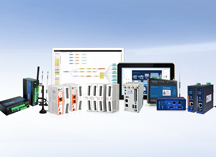
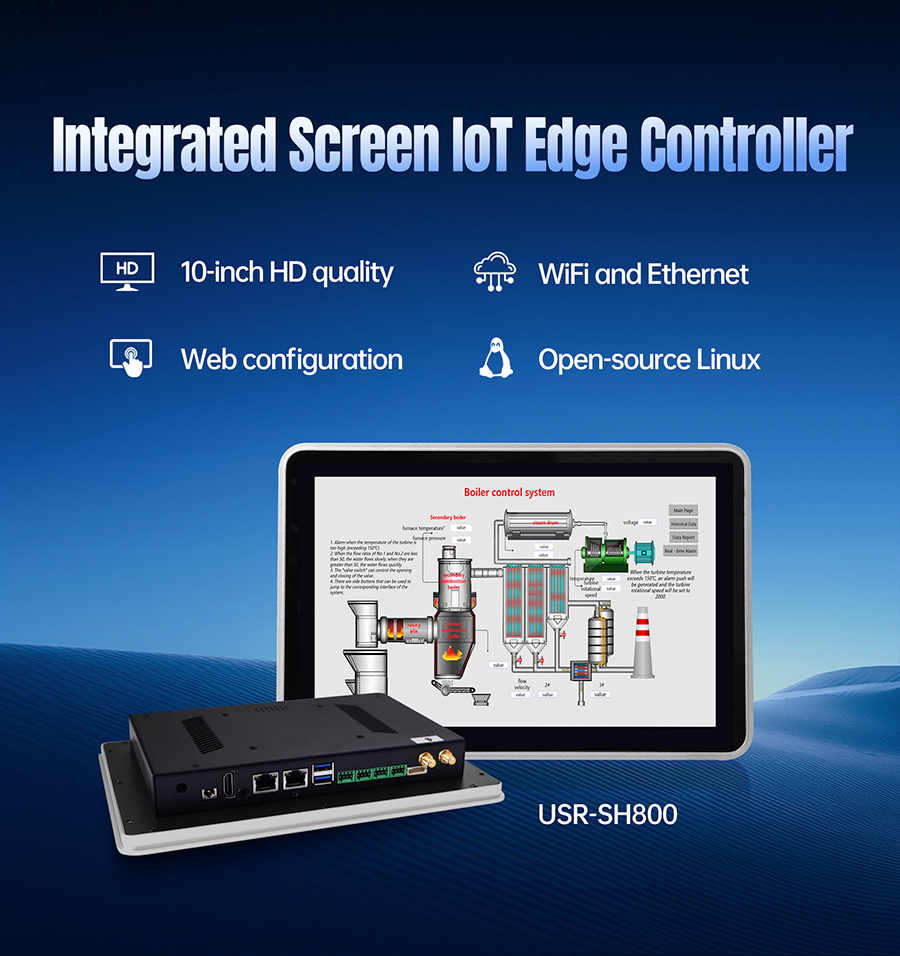
What I've been using for the past two years—and what I recommend to friends who build AGVs—is USR IoT's USR-SH800 industrial panel PC.
Why mention it? Not because it's perfect. Because it basically sidesteps every trap I just described.
10.1-inch capacitive screen—fits perfectly in the AGV's top mounting area. IP65 fully sealed front panel, wide-temp fanless, handles -20°C to 60°C. Native 2 CAN, 2 RS485, 2 USB, 8 IO—enough interfaces, no adapters needed. Snap-on mounting—vibration won't loosen it.
An e-commerce warehouse used it as their AGV terminal. Changeover time dropped from 40 minutes to under 10 minutes. Annual downtime savings exceeded 1.5 million RMB. The warehouse manager said something I'll never forget: "Before, changeover was a nightmare. Now, changeover is a coffee break."
I'm not saying it's the only choice. But if you take the checklist above and compare, it'll rank in the top three at minimum.
You spent hundreds of thousands on the AGV body. Hundreds of thousands on the dispatch algorithm. Hundreds of thousands on the WMS system.
But if that final screen is wrong—
Touch is unresponsive, operators are cursing. Not enough interfaces, features are crippled. Protection fails, screen flickers in three months. Mounting is unstable, ribbon cable snaps in six months.
Every penny you spent before that gets discounted.
The AGV's screen isn't a "display accessory." It's the face of the entire vehicle—the operator issues commands through it, the system transmits data through it, safety reports faults through it.
Get it right, and it's your most reliable teammate. Get it wrong, and it's your most expensive lesson.
Take that checklist with you. Don't save a few hundred bucks.
Your AGV deserves a good screen.